

Most job seekers assume their resume gets rejected because of missing keywords. The real culprit is usually something far more fixable: a broken format that prevents the applicant tracking system from reading the document at all. Getting your ats friendly resume format right means understanding that ATS software doesn't "read" resumes the way humans do. It parses them, extracting structured data from specific locations. If your layout puts information in the wrong place, or uses design elements that confuse the parser, your resume becomes invisible before a recruiter ever sees it. This guide covers exactly what to fix and how.
Table of Contents
- Key Takeaways
- What makes an ATS friendly resume format work
- Recommended section order for ATS compatibility
- Formatting details that prevent parsing errors
- How to incorporate keywords without hurting your resume
- Common ATS resume mistakes to avoid
- My honest take on ATS formatting after years of resume review
- How Parseworks helps you get your format right
- FAQ
Key Takeaways
| Point | Details |
|---|---|
| Format beats keywords | A broken layout causes more rejections than missing keywords — fix structure first. |
| Single-column is safest | Sidebars and two-column layouts scramble parsed data across most ATS platforms. |
| Standard section labels matter | Labels like "Work Experience" and "Skills" help ATS categorize your content correctly. |
| File type affects parsing | A .docx file is the safest default; only submit PDF if the employer specifically requests it. |
| Keywords need context | Place keywords naturally in your summary, skills, and experience sections — not crammed into a list. |
What makes an ATS friendly resume format work
ATS compatibility is mostly about using simple formatting and standard section headings to help software extract information, not tricking the system with keywords alone. That distinction matters more than most job seekers realize.
The safest resume layout is a single-column document with a clean, linear flow from top to bottom. ATS software reads left to right and top to bottom, just like a printed page. The moment you introduce sidebars, text boxes, or multi-column sections, you create parsing chaos. Sidebars and two-column layouts cause timeline and skill data to get scrambled between columns, drastically reducing parse accuracy.
Here are the core formatting rules every ATS compliant resume template should follow:
- Use a single-column layout with consistent left-aligned text
- Avoid tables, text boxes, headers, footers, and graphics entirely
- Keep all contact information in the main body of the document, never in a header or footer
- Use standard section headings: Work Experience, Education, Skills, Certifications
- Stick to 1-2 page length depending on your experience level
- Leave adequate white space between sections for readability
Pro Tip: Place your phone number, email, and LinkedIn URL directly in the body of the document, below your name. Contact info in headers is frequently missed by ATS parsers, which means recruiters may never see how to reach you.
The logic behind avoiding graphics and images goes beyond aesthetics. ATS systems extract text. Anything that isn't selectable text, including logos, icons, and photos, simply doesn't exist to the parser. A beautifully designed resume with a skills bar chart or a profile photo may score zero in an ATS scan because the most important information is locked inside non-parsable elements.
Recommended section order for ATS compatibility
How you order your resume sections affects how well ATS software categorizes your data. Reverse chronological format is the most ATS-compatible and preferred by recruiters because it presents your most recent experience first, which is exactly what most ATS platforms are built to prioritize.
The optimal section order for a resume format built for applicant tracking is:
- Contact Information (full name, phone, email, LinkedIn, location)
- Professional Summary (3-4 lines summarizing your experience and value)
- Work Experience (reverse chronological, with job title, company, dates, and bullet points)
- Education (degree, institution, graduation year)
- Skills (a focused list of hard and soft skills relevant to the role)
- Certifications (optional, but valuable for technical and licensed roles)
The order matters because ATS systems are trained to expect this sequence. When standard section labels are missing or replaced with creative alternatives, ATS software assigns that content to an "Other" bucket, where it carries far less weight in scoring.
A common mistake is placing the Skills section before Work Experience. Some candidates do this to front-load their technical abilities, but most ATS platforms interpret this as a structural anomaly. Another frequent error is burying certifications or education in a footer or sidebar. If the ATS can't find your degree in the expected location, it may flag your application as incomplete.

Think of your resume structure as a conversation the ATS is having with your document. It asks: "Where is this person's most recent job?" If your layout answers that question clearly and immediately, you pass. If it has to hunt through columns and footers, you don't.
Formatting details that prevent parsing errors
The difference between a resume that passes ATS parsing and one that fails often comes down to details most candidates overlook. Font choice, date formatting, bullet style, and file type all influence how accurately an ATS reads your document.
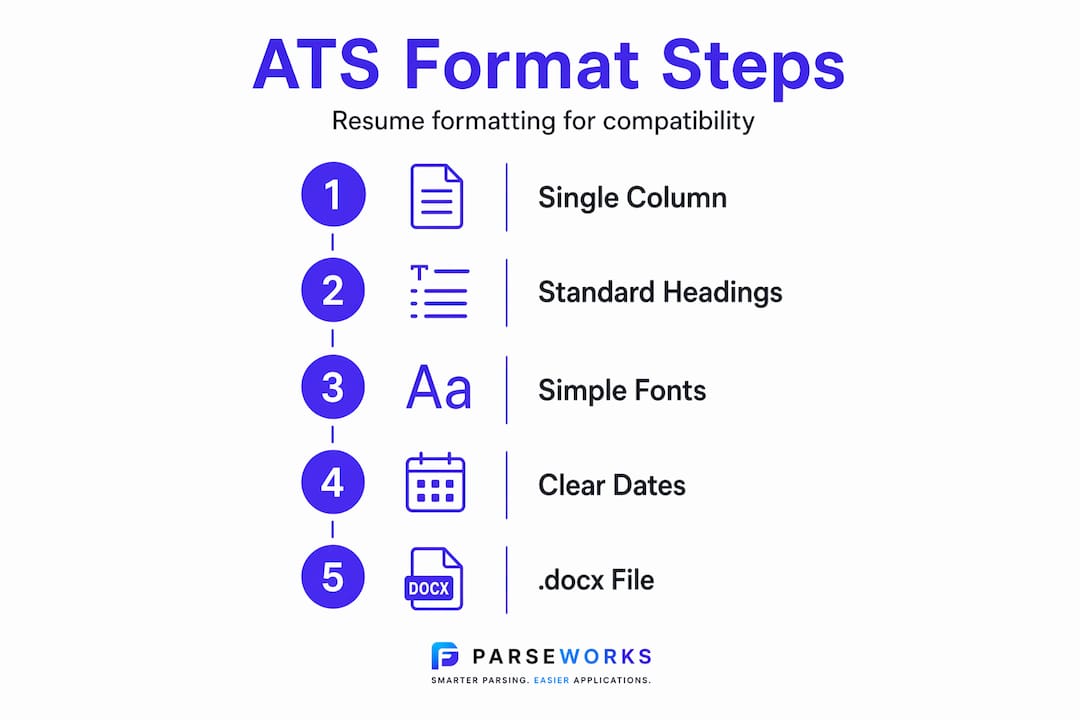
Font and size
Fonts like Arial, Calibri, and Times New Roman at 10-12pt are safe and legible for both ATS and human readers. Decorative or script fonts may render as unrecognizable characters in some parsers, turning your job title into a string of symbols.
Date formatting
Non-standard date formats cause missing timeline data in ATS parsing. Use formats like "Jan 2024 to Present" or "March 2022 to October 2023." Avoid writing dates as "2022/2023" or "Spring 2021" since many systems can't map those to a usable timeline.
Bullet points
Use standard round bullets or simple dashes. Avoid custom icons, arrows, checkmarks, or emoji-style symbols. Some ATS platforms convert non-standard bullets into garbled characters, which breaks the sentence structure around your achievement statements.
File type comparison
| Format | ATS Compatibility | Best Use Case |
|---|---|---|
| .docx | High | Default choice for most applications |
| .pdf (text-based) | Medium to High | Use only when employer requests it |
| .pdf (image-based) | Very Low | Avoid entirely |
| .pages or .odt | Low | Avoid for ATS submissions |
File format choice matters significantly. A .docx file offers better ATS parsing compatibility unless a PDF is specifically requested. If you do submit a PDF, open it and confirm the text is selectable. If you can't highlight the words with your cursor, the ATS can't read them either.
Pro Tip: Name your file using a clear pattern like "FirstName-LastName-JobTitle.docx." File naming conventions can affect candidate ranking in some ATS platforms, and a professional file name signals attention to detail to human reviewers as well.
How to incorporate keywords without hurting your resume
Keywords matter, but placement and context matter more. Keyword integration should be natural and relevant to job listings, placed strategically in your summary, skills, and experience sections.
Here is a practical approach to keyword strategy within an ATS optimized resume:
- Read the job description carefully and identify the specific terms used for required skills, tools, and qualifications
- Mirror that language in your Professional Summary, not as a list, but woven into sentences that describe your background
- Include both the acronym and the full term when relevant (for example, "Search Engine Optimization (SEO)") since different ATS systems may search for either version
- Place technical skills, software names, and certifications in a dedicated Skills section so the ATS can extract them as discrete data points
- Avoid repeating the same keyword more than two or three times across the document; stuffing degrades the human reading experience and some ATS platforms penalize it
Every line of your resume should be keyword-compatible and relevant, because while ATS extraction gets you past the first filter, recruiters ultimately focus on qualified, readable content. A resume that reads like a keyword list may score well in parsing but lose the recruiter's interest within seconds.
For professionals applying to platforms like Workday specifically, check out this guide on formatting for Workday, which covers platform-specific quirks that go beyond general ATS advice.
Common ATS resume mistakes to avoid
Even candidates who understand ATS basics make these errors. They are worth reviewing before you submit your next application.
- Putting contact information in the document header or footer (ATS frequently skips these zones)
- Using tables to create a two-column layout, which scrambles data across columns during parsing
- Including a profile photo, company logos, or decorative icons anywhere in the document
- Writing dates in non-standard formats like "Q1 2023" or using slashes instead of spelled-out months
- Labeling sections with creative names like "My Journey" or "Where I've Been" instead of "Work Experience"
- Submitting an image-based PDF where the text is not selectable
ATS systems vary, but all require text to be selectable and parsable. Image-based or scanned resumes are often invisible to ATS and cause automatic rejection.
Pro Tip: Before submitting, run your resume through a dedicated ATS resume checker to see exactly how the parser reads your document. Catching a formatting error before submission takes five minutes and can save you from weeks of silence from employers.
Customizing your title line and Professional Summary for each application is also worth the effort. A generic summary that doesn't reflect the specific role you're applying for will score lower in keyword matching, even if the rest of your resume is well-formatted.
For a deeper look at how length affects ATS scoring, this breakdown on ATS resume length in 2026 is worth reading before you finalize your document.
My honest take on ATS formatting after years of resume review
I've reviewed hundreds of resumes, and the pattern I see most often is this: candidates spend hours perfecting their bullet points and keyword density, then submit a document with a two-column layout that the ATS turns into word salad. All that effort, invisible.
The single most impactful change I've seen candidates make is switching to a strict single-column, reverse-chronological layout. Not a redesign. Not a rewrite. Just removing the sidebar and moving everything into one clean column. Interview callback rates improve noticeably when the ATS can actually read the document.
What I've also learned is that most people treat ATS optimization as a one-time fix. It isn't. Job descriptions vary, ATS platforms differ, and what works for one application may not work for another. The candidates who get the most traction run their resume through a parser before each major application, check the output, and adjust their summary accordingly.
The uncomfortable truth is that a beautiful resume and an effective resume are often different things. The best ATS-friendly format looks almost boring by design. Clean, linear, predictable. That simplicity is exactly what gets you in front of a human reviewer who can actually appreciate your experience.
— Sam
How Parseworks helps you get your format right
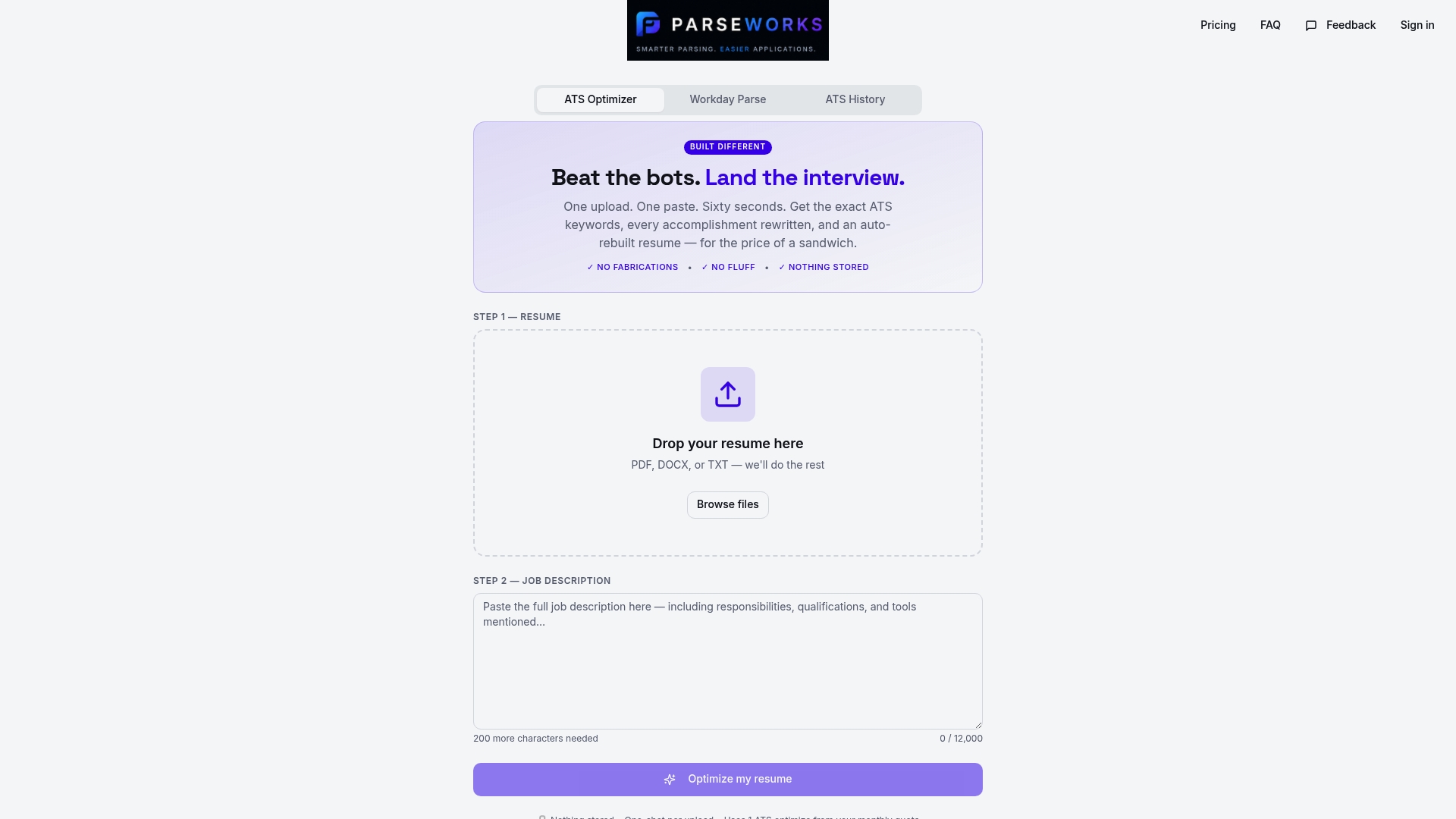
Parseworks was built for exactly this problem. You can upload your resume to the free ATS resume checker and get an instant readiness score that shows where your formatting breaks down, which keywords are missing, and how a real ATS parser reads your document. No guessing. No submitting blind.
Beyond the checker, the Parseworks platform combines resume parsing, keyword optimization, and rewritten bullet suggestions into one workflow. It's designed for professionals who are tired of manually reformatting the same resume for every application portal. If you apply frequently or are targeting competitive roles, the advanced features available through Parseworks pricing plans are worth exploring. Less time reformatting means more time applying to the right roles.
FAQ
What is the best resume format for ATS?
The best resume format for ATS is a single-column, reverse-chronological layout using standard section headings, a clean font like Arial or Calibri, and no tables, graphics, or text boxes. This structure gives most ATS platforms the cleanest path to extracting your data accurately.
Should I submit my resume as a PDF or Word document?
Submit your resume as a .docx file by default, since it offers the highest ATS parsing compatibility. Only submit a PDF if the employer specifically requests it, and always verify the text is selectable before uploading.
Where should I put my contact information on an ATS resume?
Place your contact information directly in the main body of the document, not in a header or footer. Many ATS systems skip header and footer zones entirely, which means your phone number and email may never be extracted.
How do I know if my resume is ATS compatible?
Open your PDF and try to highlight the text with your cursor. If the text is selectable, it is parsable. For a more thorough check, run your document through a dedicated ATS checker tool that shows you exactly how the parser reads your content.
Do creative section headings hurt my ATS score?
Yes. ATS platforms are trained to recognize standard labels like "Work Experience," "Education," and "Skills." Creative headings like "My Story" or "Career Highlights" are often assigned to an unscored "Other" category, reducing the visibility of your most important content.