

Most job seekers assume ATS systems just scan for buzzwords and move on. The reality is much more specific. Understanding how work history parsed by ATS actually works reveals that these systems are pulling out structured data fields from your resume, including job titles, employer names, start and end dates, and whether you currently hold a position. Get any of those fields wrong and your resume may not surface in recruiter searches at all, regardless of how qualified you are. This guide breaks down exactly how that parsing process works and what you can do to make it work in your favor.
Table of Contents
- Key takeaways
- How work history is parsed by ATS: the full process
- Common ATS parsing mistakes with work history
- Best practices for ATS-compliant work history formatting
- How ATS use parsed work history to screen and rank candidates
- My honest take on ATS parsing after years of watching resumes fail
- See exactly how your resume is being parsed
- FAQ
Key takeaways
| Point | Details |
|---|---|
| ATS extracts structured fields | Systems pull job title, employer, dates, and current job status from your work history section. |
| Formatting breaks parsing | Tables, text boxes, and columns cause incomplete or missing work history data in ATS profiles. |
| Keywords live in work history | Job titles and bullet points in your experience section carry heavy weight in ATS scoring and ranking. |
| Consistent dates matter | Using a uniform date format like MM/YYYY prevents ATS from misreading your employment timeline. |
| Testing fixes guesswork | Running your resume through an ATS checker before applying reveals parsing gaps you cannot spot manually. |
How work history is parsed by ATS: the full process
The parsing process is not magic. It follows a repeatable sequence, and knowing each step tells you exactly where things go wrong.
ATS parsing follows three steps: text extraction, data categorization, and keyword analysis. Each stage builds on the last, and a failure at any point compounds downstream.
Step 1: Text extraction. The ATS strips your resume of all formatting. Fonts, colors, column layouts, and design elements are discarded. What remains is raw text. If your resume uses text boxes or graphics to display job titles, the system may not extract that text at all, because it cannot reliably convert embedded design elements into readable characters.

Step 2: Data categorization. The system then segments the plain text into resume sections. It looks for recognizable heading labels to do this. Headings like "Work Experience" or "Professional Experience" signal where your job history begins. Headings it does not recognize, such as "My Career Story" or "Where I've Been," can cause the system to either skip the section or lump it into the wrong category.
Step 3: Entity extraction. This is where the ATS interpretation of experience gets granular. The system reads through each job block and extracts specific fields. Enterprise ATS platforms expose work experience records that include fields for job title, employer name, start date, end date, and a current job flag. That last field, the current job flag, is how ATS systems identify your most recent role and weight it accordingly during recruiter searches.
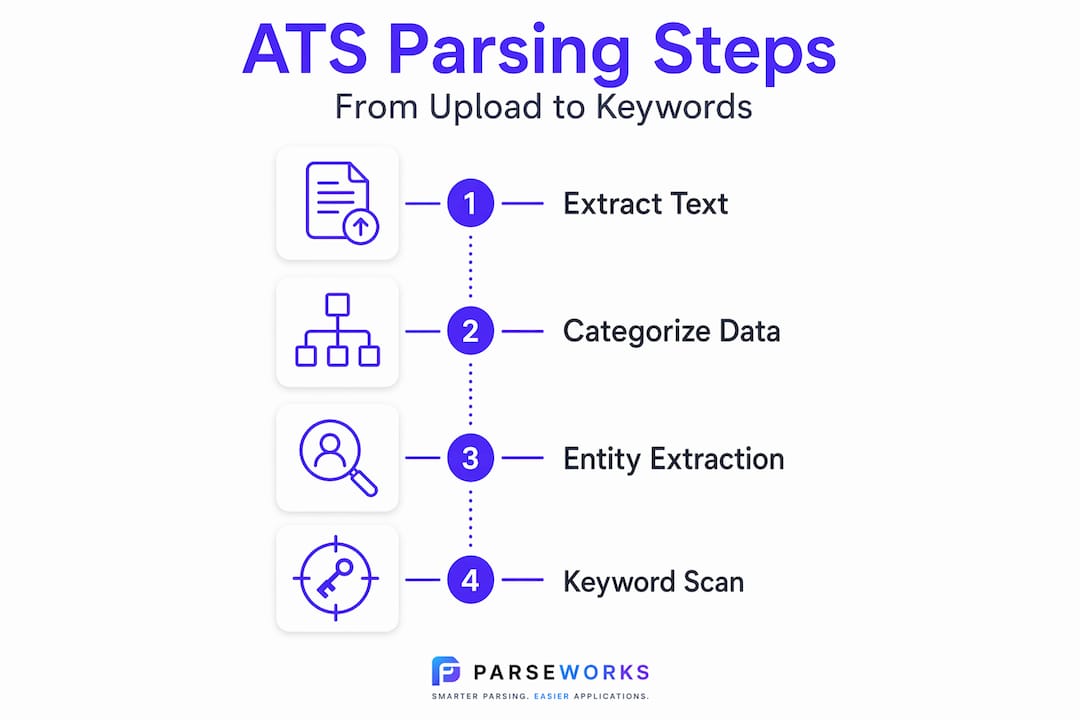
Natural Language Processing, or NLP, powers the entity extraction stage. The system uses NLP to recognize that "Jan 2021 to Present" means a current role, that "Senior Product Manager" is a job title, and that "Acme Corp" is an employer name. When your formatting or phrasing is unusual, NLP models trained on conventional resume structures can misclassify or drop entire fields.
Pro Tip: Export your resume as a plain .docx file rather than a PDF whenever you are unsure about a specific ATS platform. Some older systems parse Word documents more cleanly than PDFs, particularly for date and title fields.
Common ATS parsing mistakes with work history
Knowing what breaks parsing is just as useful as knowing what works. These are the most common errors that quietly reduce your resume's visibility.
-
Using tables or columns to lay out job history. Complex formatting causes ATS to struggle, producing broken or incomplete parsed fields. A two-column layout where your job title sits in the left column and your dates in the right column looks clean to a human reader but reads as scrambled noise to many parsers.
-
Inconsistent or missing dates. Using inconsistent date styles confuses ATS systems that depend on recognizable patterns to determine employment start and end dates. Mixing "January 2020" in one entry with "01/21" in the next forces the parser to guess, and it often guesses wrong.
-
Non-standard section headings. Calling your work history section "Career Highlights" or "Experience and Achievements" may seem distinctive, but it often causes miscategorization. The ATS may assign that content to the wrong section or fail to parse it at all.
-
Embedding key details in graphics. Job seekers who use infographic-style resumes sometimes place their job titles or company names inside visual elements. Text inside images is invisible to ATS parsing. Those details simply do not exist in the extracted data.
-
Leaving out location or employer details. Poorly formatted resumes do not just get filtered out during screening. They generate incomplete candidate profiles, meaning recruiters running searches by employer name or industry may never find you even if you are a strong match.
Pro Tip: Paste your resume text into a plain text editor like Notepad before submitting. If any job titles, dates, or employer names look scrambled or missing in plain text, an ATS will see the same problem.
Best practices for ATS-compliant work history formatting
Getting your formatting right is not about dumbing down your resume. It is about making sure your actual qualifications get read. Here is what works.
Standard formatting that ATS systems can actually read
The most important change most job seekers can make is simplifying their resume structure. Standard section labels like "Work Experience" paired with reverse chronological job listings give ATS systems the clearest possible signal for where to find and how to categorize your history.
The table below compares formatting choices that help versus those that hurt ATS parsing accuracy.
| Formatting element | ATS-friendly version | Version that breaks parsing |
|---|---|---|
| Section heading | Work Experience | Career Milestones |
| Date format | January 2021 or 01/2021 | Jan '21 or 2021-present |
| Job title placement | Single line above employer | Embedded in a graphic or table cell |
| Layout | Single-column, linear | Two-column or sidebar layout |
| Contact and role details | Plain text fields | Text boxes or shapes |
How to write work history entries that score well
Beyond structure, the content of each job entry matters significantly for ATS work history analysis. Follow this sequence for each role:
- Write your job title exactly as it appeared on your contract or LinkedIn profile. Unusual internal titles, like "People Champion" instead of "HR Manager," can prevent keyword matching against job descriptions.
- Include the employer name in full. Acronyms alone can cause mismatches if the ATS is configured to filter by full company names.
- Add the city and state or country for each role. Location fields are common filters in recruiter searches.
- List start and end dates in a consistent format. Pick one style and use it for every entry. MM/YYYY works well across most ATS platforms.
- Write bullet points that mirror the language in job postings. Keyword presence in job titles and description fields directly influences ranking algorithms. If a target job description uses "cross-functional team leadership," use that phrase in your bullets rather than a synonym like "worked across departments."
For more guidance on how resume length interacts with ATS parsing, the ATS resume length guide on the Parseworks blog breaks down exactly how many pages work in your favor.
How ATS use parsed work history to screen and rank candidates
Once your resume is parsed, the data does not just sit in a database. It gets actively used to filter and rank you against every other applicant. Understanding this part of the process changes how you think about every word in your work history section.
Parsed resume data populates a searchable candidate profile. Recruiters query these profiles by keyword, job title, employment dates, location, or any combination of filters the employer has configured. If your data was not parsed correctly, you simply do not appear in those searches.
Here is how the screening logic typically works:
-
Keyword matching against the job description. The ATS compares terms in your parsed work history against the requirements listed in the job posting. Resumes lacking required keywords are filtered out before any recruiter ever opens them.
-
Title-level matching. Many ATS configurations weight job title matches heavily. If you have held a role with a closely matching title, that creates a strong positive signal. A mismatched or absent title, because it was not parsed correctly, removes that signal entirely.
-
Recency and tenure signals. The start date, end date, and current job flag combine to tell the system how recently you held relevant experience and how long you stayed in each role. Systems configured to filter for candidates with recent experience in a specific field depend entirely on those fields being accurate.
-
Partial data means partial visibility. Simply having the experience is not enough. How the ATS parses and matches your keywords and fields determines whether you are selected. A candidate with strong experience buried in an unreadable format loses to a weaker candidate whose resume was structured clearly.
For job seekers applying through platforms like Workday specifically, the Workday resume formatting guide covers the exact field configurations that platform uses to parse and display candidate profiles.
My honest take on ATS parsing after years of watching resumes fail
I've reviewed hundreds of resumes from qualified candidates who were getting no responses. In the vast majority of cases, the problem was not their experience. It was how their experience was presented to the system reading it first.
The thing I've learned is that job seekers tend to treat ATS compliance as a checkbox. Fix the format once, move on. But the real issue is that every job you apply for may be running a different ATS platform with different parsing rules and different keyword configurations. What works for one application may not work for the next.
The subtlest trap I've seen is keyword stuffing in response to this reality. People cram job descriptions with every term from a job posting, and it backfires. ATS systems are increasingly sophisticated. They detect density anomalies, and more practically, the resume reads terribly when a human finally does open it. The balance is using natural language that mirrors job posting terminology without copying it verbatim.
My strongest recommendation is to run your resume through an actual ATS parsing tool before submitting to any competitive role. Not to grade yourself, but to see exactly what fields were extracted from your work history and whether your current title, your dates, and your most recent employer all appear correctly. Most people are genuinely surprised by what is missing. Small fixes at that stage have a measurable impact on screening outcomes.
— Sam
See exactly how your resume is being parsed
If this guide made you wonder what an ATS actually pulls from your own resume, Parseworks gives you a direct answer. The free ATS resume checker analyzes your resume against ATS parsing standards and shows you exactly which fields were extracted correctly, which are incomplete, and where your keyword coverage falls short.
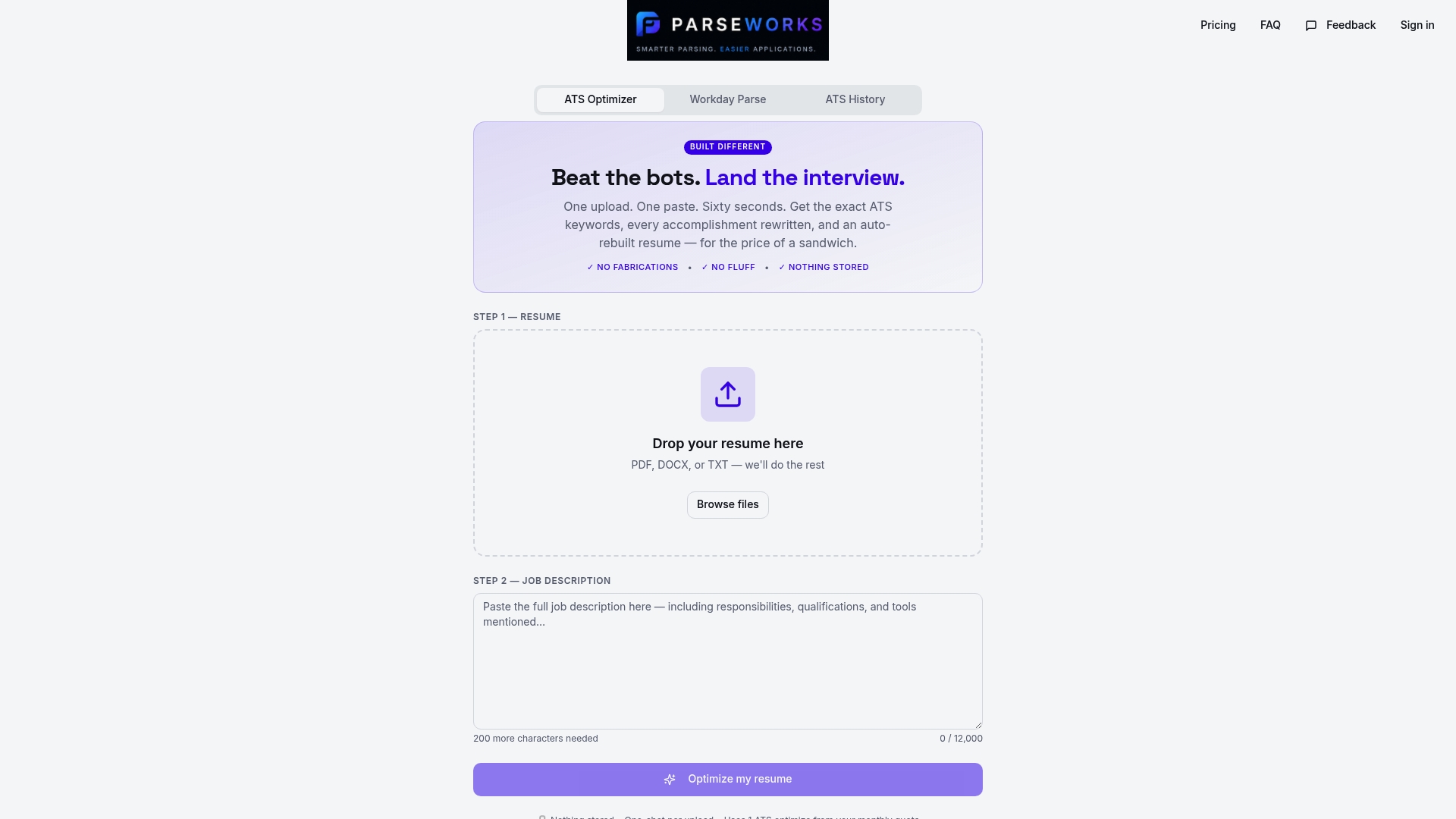
You get a detailed readiness score, specific feedback on your work history section, and suggestions for fixing the issues that matter most to screening algorithms. It is the fastest way to move from guessing to knowing. Parseworks is built for job seekers who want practical results without spending hours reformatting resumes manually. If you are applying to roles through Workday or similar enterprise ATS platforms, the full ParseWorks optimizer also handles keyword tailoring and application formatting in one workflow.
FAQ
What fields does ATS extract from work history?
ATS systems typically extract job title, employer name, start date, end date, and a current job flag from each work experience entry. Enterprise platforms like Oracle Fusion Cloud HCM structure these as distinct data fields in candidate profiles.
Why does my resume's formatting affect ATS parsing?
Complex layouts like tables, text boxes, and columns prevent ATS parsers from cleanly extracting text. When formatting is stripped during the parsing process, content inside those elements is often lost or misread entirely.
What date format should I use in my work history?
Use a consistent format such as MM/YYYY or Month YYYY for every role on your resume. Inconsistent date styles cause ATS systems to misinterpret your employment timeline and can leave your experience records incomplete.
How does ATS use parsed work history to rank candidates?
Once parsed, your work history data populates a searchable profile. Recruiters filter by keywords, job titles, and dates. Candidates whose parsed fields match the job description's required terms rank higher in those filtered results.
Can a well-written resume still fail ATS parsing?
Yes. Strong content structured in an unreadable format will still be misread or partially parsed. Keyword matching and field accuracy depend on clean formatting, not just the quality of the experience you describe.