

You spent two hours perfecting your resume, but the recruiter never saw it. Not because it was bad. Because the ATS couldn't read it. Automated resume parsing benefits job seekers most when their resumes are actually formatted to be parsed. The industry term for this process is resume parsing, and it's the technology that converts your resume's text into structured, searchable data the moment you hit submit. Understanding how it works, where it fails, and how to work with it is one of the highest-leverage moves you can make in a competitive job market.
Table of Contents
- Key Takeaways
- Automated resume parsing benefits: what's actually happening
- What parsing actually does for your application
- Resume formatting mistakes that break parsing
- How to format your resume for clean parsing
- How to verify your resume actually parses correctly
- My honest take on parsing after watching hundreds of candidates get this wrong
- See exactly what ATS systems read from your resume
- FAQ
Key Takeaways
| Point | Details |
|---|---|
| Parsing converts resumes to data | Your resume is transformed into structured fields the moment an ATS receives it. |
| Formatting errors cause invisibility | About 15% of resumes fail critical parsing, meaning recruiters never find them. |
| Simple layouts parse best | Single-column, text-based resumes give parsers the cleanest signal and the fewest failure points. |
| Keyword matching drives retrieval | Passive non-retrieval is more common than outright rejection. Mirror job description terms exactly. |
| Preview tools catch errors early | Running your resume through a parser before applying lets you fix problems before they cost you interviews. |
Automated resume parsing benefits: what's actually happening
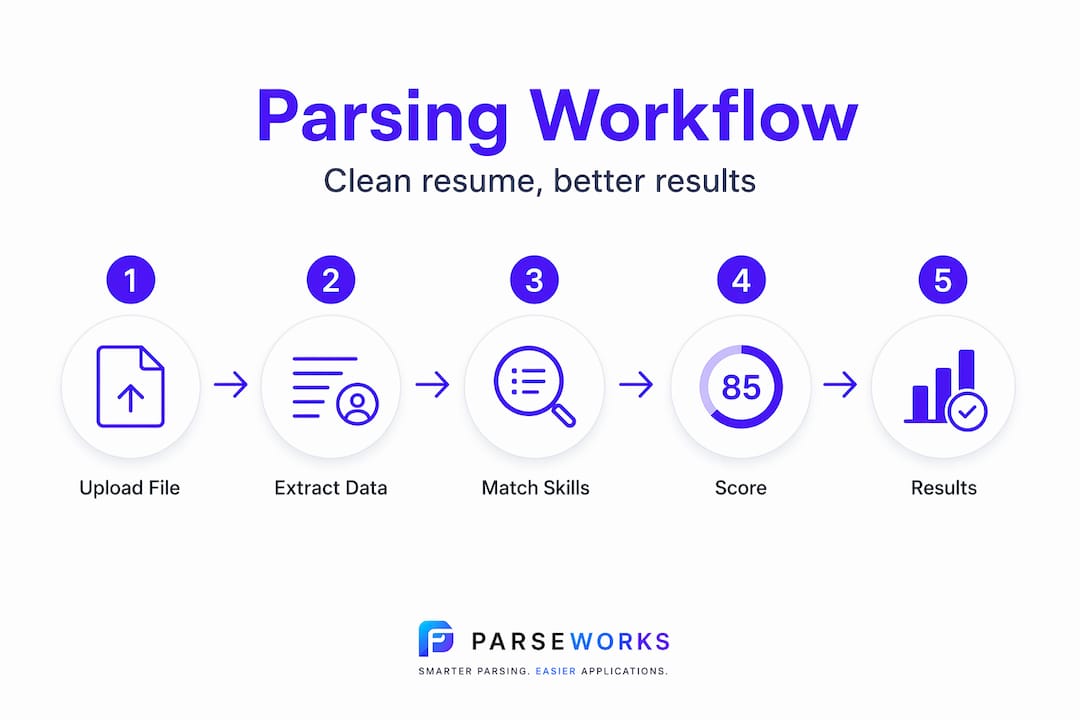
Resume parsing is a five-stage process that happens in seconds but has a lot of places where things go wrong. Knowing each stage helps you understand exactly what you're optimizing for.
- Document conversion. The ATS converts your file (PDF, Word, etc.) into raw text. If it can't extract the text, nothing else works.
- Layout reconstruction. The parser attempts to reassemble the logical reading order of your document. Multi-column layouts frequently break here.
- Section segmentation. The system identifies which block of text is your work history, which is your education, and which is your skills section.
- Field extraction. Individual data points are pulled out: job titles, employer names, dates, contact info, skills. This is where AI and NLP models do the heavy lifting in modern systems.
- Normalization. Extracted data is standardized. "Sr. Software Eng." becomes "Senior Software Engineer." Dates get formatted consistently. This is also where large language models occasionally hallucinate a detail.
Each stage is a potential failure point. A scanned PDF can kill the process at step one. A two-column layout derails step two. A creative section heading labeled "My Story" instead of "Work Experience" confuses step three. Understanding this pipeline is what separates candidates who get found from candidates who don't.
Pro Tip: Skill extraction is notably weaker than overall parsing accuracy. Headline benchmarks advertise 92 to 95% F1 accuracy, but skills often score only 75 to 85%. List your skills explicitly, using the exact terminology from the job posting.
What parsing actually does for your application
The practical benefits of resume parsing technology show up at every stage of your application, not just at submission.
- Auto-population of application fields. When a company's ATS parses your resume, it fills in the application form automatically. Candidates strongly prefer auto-fill to manual entry, and completion rates go up when friction goes down. Fewer people abandon half-filled applications when the system does the work for them.
- Searchability in recruiter databases. Your resume doesn't just sit in a folder after you apply. Recruiters run keyword queries against parsed profiles months later. If your skills didn't extract correctly, you're invisible in those searches.
- Better matching with job requirements. Standardized candidate profiles let ATS systems compare your background directly against job requirements. When your data is clean and correctly structured, the match score goes up.
- Reduced errors vs. manual entry. Parsers eliminate the transcription errors that happen when recruiters type details manually. Your job title stays your job title, rather than whatever abbreviation someone typed while rushing through a stack of applications.
- Faster overall review. Tasks that took minutes per resume now take seconds. That speed means recruiters review more profiles, but it also means the window for a parsing error to hurt you is very small. You have one shot at that first read.
Here is what most job seekers miss: the bigger threat isn't outright AI rejection. Passive non-retrieval is far more common. Your resume is stored in the database, but it never surfaces in a recruiter's search because a keyword didn't extract or a field got garbled. You're not rejected. You're just never found.
Resume formatting mistakes that break parsing
The formatting choices that look polished to a human eye are often the ones that destroy parsing accuracy. Here's where it goes wrong most often.
- Multi-column layouts. When a parser reads left to right across a two-column resume, it scrambles the logical sequence. A job title from column one gets mixed with a skill from column two, producing nonsense in the structured record.
- Headers and footers. Many parsers skip or incorrectly process content placed in header or footer regions. If your phone number and email address live in the header, they may simply disappear from your parsed profile.
- Image-based or scanned PDFs. A PDF created by scanning a printed resume contains no extractable text. The parser sees a blank image. You do not exist in the database.
- Non-standard section labels. Headings like "Where I've Been" or "What I Know" make perfect sense to a human. A parser trained on "Work Experience" and "Skills" gets confused, and your content may be mis-categorized or dropped entirely.
- Tables and text boxes. Content inside tables or floating text boxes is often extracted out of sequence or missed entirely. This is a particular problem with visual resume templates that use them heavily.
The numbers back this up. An estimated 45% of resumes experience partial parsing failures, meaning some fields go missing. Another 15% fail critically, making candidates effectively invisible to recruiters. That's not a rounding error. It's a structural problem, and most of those failures are preventable.
| Format element | Parser-friendly | Parser-unfriendly |
|---|---|---|
| Layout | Single column, clear hierarchy | Two or three columns |
| Contact info | In document body | In header or footer |
| File type | Searchable PDF or .docx | Scanned PDF or image file |
| Section headings | Standard labels (Work Experience, Skills) | Creative or descriptive labels |
| Data presentation | Plain text with bullets | Tables, text boxes, graphics |

Pro Tip: Download your resume from any online template builder and open it in a plain text editor. If the text looks scrambled or out of order when you paste it, a parser will struggle with it too.
How to format your resume for clean parsing
Getting the best resume extraction results is less about adding things and more about removing what breaks parsing. Follow these steps before your next application.
- Use a single-column layout. This is the single highest-impact change most people can make. Every piece of content reads in a clean top-to-bottom sequence, which is exactly what parsers expect.
- Move contact info into the document body. Put your name, email, phone number, and LinkedIn URL at the top of the page as regular text. Not in a header, not in a text box. Plain body text.
- Export as a searchable PDF from your source file. Create your resume in Google Docs or Microsoft Word, then export to PDF. Never scan a printed copy. The resulting file is text-based and fully readable by any parser.
- Mirror language from the job description. If the posting says "project management," your resume should say "project management," not "project oversight" or "program coordination." ATS-friendly resume formatting depends as much on vocabulary as it does on layout.
- Use standard section headings. Stick with "Work Experience," "Education," "Skills," and "Certifications." Save the creativity for your cover letter.
- Remove tables, graphics, and icons. Profile photos, skill bars, and icon-based contact details all create noise in the extraction process. None of that data transfers cleanly.
- Run a parsing preview before you apply. This is the step most people skip, and it's arguably the most useful one.
| Resume element | Recommended practice | Why it matters |
|---|---|---|
| Layout | Single column | Preserves logical reading order |
| Contact placement | Document body, top of page | Prevents fields from being dropped |
| File format | Searchable PDF | Ensures text extraction works |
| Section labels | Standard industry terms | Helps parsers assign content correctly |
| Keywords | Match job description language | Improves match scoring and retrieval |
Pro Tip: If you apply to jobs across multiple industries or companies using different ATS platforms, maintaining separate resume versions tailored to each context is worth the extra effort. A resume optimized for one job description often underperforms on another.
How to verify your resume actually parses correctly
Knowing your resume is clean is not the same as knowing it parses cleanly. These two things are not interchangeable.
- Use a parsing preview tool. Several tools show you exactly what an ATS extracts from your resume. Check every field: name, email, phone, each job title, each employer, each date range, and your skills list. Look for anything missing or wrong.
- Watch for dropped or garbled contact fields. If your email address doesn't show up in the parsed output, recruiters can't contact you. This is one of the most common critical failures and one of the most easily fixed.
- Understand strict vs. lenient parsing modes. Older ATS platforms use strict parsing, which requires exact keyword matches and rigid formatting. Modern AI-powered systems use lenient semantic parsing, which understands that "managed a team of five" and "team management" mean similar things. If you're applying to a company using legacy software like older versions of Taleo, your vocabulary choices matter more than they would elsewhere.
- Fix issues before submitting, not after. Once your resume is in the database with garbled data, there's no correcting it. The time to catch errors is before you apply.
- Retest when you update your resume. Every time you add a new role, reformat a section, or change your template, run the preview again. Parsing outcomes can change with even minor formatting edits.
Pro Tip: Apply to a test job posting on a company careers page using a throwaway email address, then check what profile data the system captured. It's the most realistic parsing test you can run.
My honest take on parsing after watching hundreds of candidates get this wrong
I've reviewed resumes from candidates at every level, and the pattern I keep seeing is that most people think parsing failures are rare. They're not. About 34% of resumes have at least one critical parsing failure in test conditions. That's not a fringe problem. That's one in three applications.
What surprises me most is how many strong candidates format their resumes to impress human readers, then never stop to ask whether the machine can read it at all. The resume that wins design points at a networking event may be completely unreadable to the ATS that sits between you and the recruiter.
My other observation: parsing technology is genuinely improving. Modern NLP models handle layout and vocabulary variation far better than older rule-based systems did. But the bottom 10% of resumes by parser confidence still get significantly lower accuracy, and those tend to be the same candidates who are already at a disadvantage: non-standard formats, career changers, international candidates. The technology is better, but it's not neutral.
The practical upshot? Test your resume before every significant application cycle. Treat it like a product, not a document. A version that parsed perfectly six months ago may have broken the moment you changed your template.
— Sam
See exactly what ATS systems read from your resume
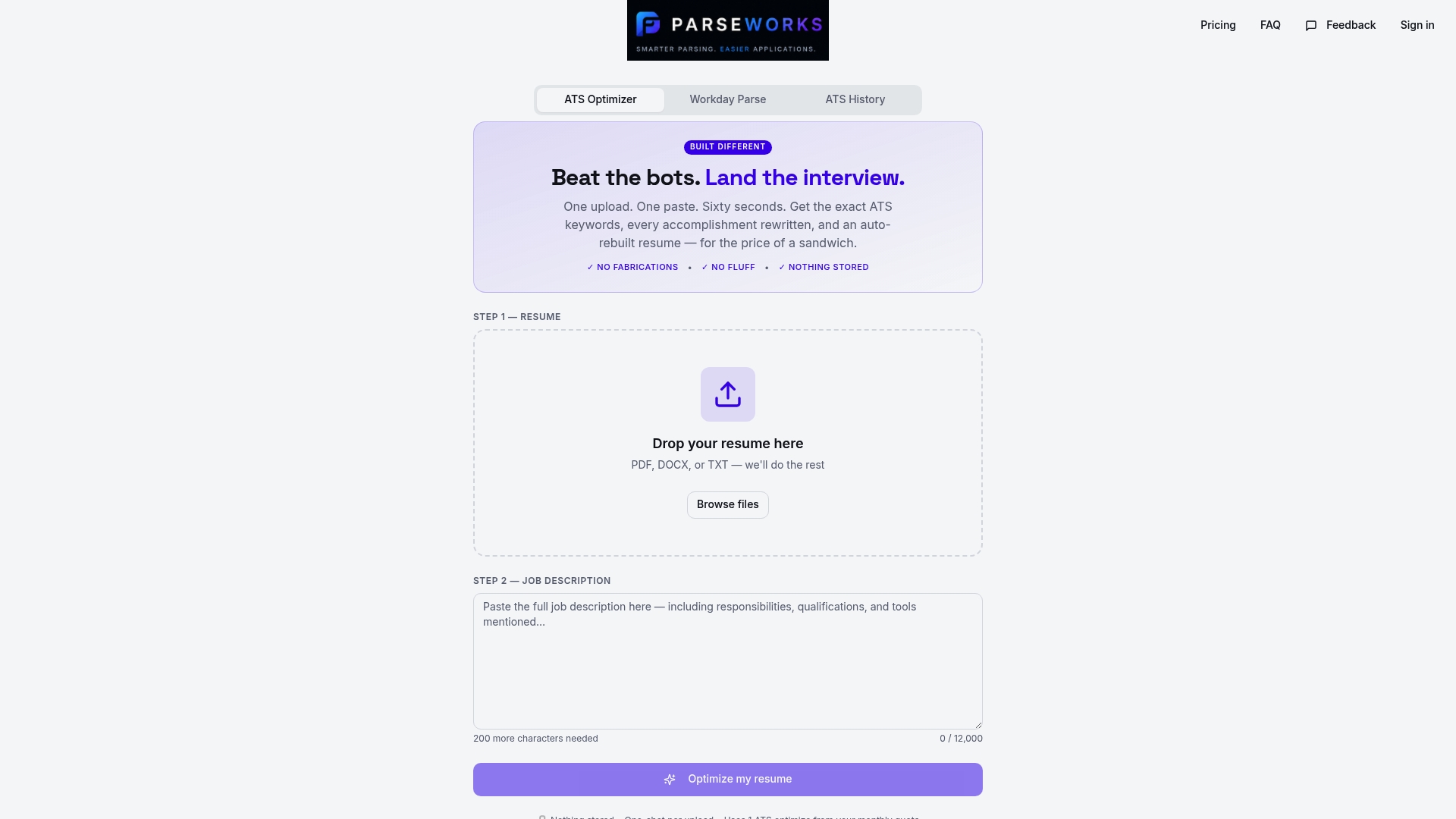
If anything in this article made you wonder whether your resume is parsing correctly, that instinct is worth acting on. ParseWorks built a free tool specifically for this moment. The ATS resume checker shows you exactly what fields extract from your resume, flags missing or garbled data, scores your formatting for ATS compatibility, and suggests fixes you can apply before your next application.
No manual copy-pasting. No guessing. You upload your resume, see what the parser actually reads, and fix what's broken. For candidates applying through Workday or other major ATS platforms, ParseWorks also optimizes your content to match job description keywords, so your profile doesn't just parse cleanly. It ranks. Try the free checker at ParseWorks and see your resume the way hiring systems do.
FAQ
What is automated resume parsing?
Automated resume parsing is the process by which ATS software converts your resume into structured, searchable data fields like job titles, skills, and contact info. It happens instantly when you submit a job application.
Why does resume formatting affect parsing so much?
Parsers read documents in a specific sequence, so layout elements like columns, tables, and headers disrupt that sequence. A garbled layout produces garbled data, which lowers your match score or makes you invisible in recruiter searches.
How many resumes fail ATS parsing?
An estimated 15% of resumes fail critically, meaning key fields like contact info or job titles go missing entirely. Another 45% experience partial failures where some fields are incorrect or absent.
What is the difference between strict and lenient ATS parsing?
Strict parsing requires exact keyword matches and rigid formatting. Lenient parsing, used by modern AI-driven ATS systems, understands semantic equivalence and tolerates more variation in layout and vocabulary.
How do I check if my resume is parsing correctly?
Use a parsing preview tool like the one at ParseWorks to see exactly what fields extract from your document. Check every data point, correct any errors in your source file, and retest before submitting applications.