

ATS resume rejection is defined as the automated disqualification of a candidate's resume by an Applicant Tracking System before any human recruiter ever reads it. More than 75% of resumes are rejected this way, not because candidates are unqualified, but because their resumes are formatted or worded in ways the software cannot parse. Understanding how to avoid ATS resume rejection means mastering two things: structure that software can read, and language that matches what hiring managers are searching for. Tools like Jobscan, Resume Worded, and Parseworks exist precisely to close this gap. The good news is that the fixes are specific, learnable, and repeatable.
How to avoid ATS resume rejection with the right format
ATS compatibility is more about how data is extracted than how the resume looks to a human, according to Indeed. That single insight changes everything about how you should build your resume.
The structural rules that matter most:
- Single-column layout only. Two-column formats cause ATS to scramble or skip entire text sections. What reads as two neat columns to your eyes becomes garbled, out-of-order text to the parser.
- Standard fonts at readable sizes. Arial, Calibri, and Times New Roman at 10 to 12 points are universally recognized. Decorative or custom fonts can render as symbols or blank space.
- Contact details in the body, not headers or footers. Contact info trapped in headers is one of the most common parsing failures. Your name, phone number, and email must sit in the main document body.
- Standard section labels. Use "Work Experience," "Education," and "Skills." Creative section titles like "My Journey" or "What I Bring" are misclassified or ignored entirely.
- No tables, text boxes, graphics, or progress bars. Visual elements cause parsing failure or omit information entirely. A skills chart with five filled circles means nothing to a parser.
- Save as .docx or a text-based PDF. These are the formats most ATS platforms handle reliably. Avoid .pages, .odt, or image-based PDFs.
You should also check your resume section headers to confirm they match what ATS software expects to find.
Pro Tip: Paste your entire resume into a plain text editor like Notepad. If the reading order is scrambled, missing, or confusing, the ATS will see the same thing. Fix the layout before anything else.

What keywords should you use to pass ATS filters?
Keyword matching is the mechanism ATS uses to rank candidates after parsing. The system compares your resume text against the job description and scores how closely they align. Getting this right is the single highest-leverage move you can make after fixing your format.
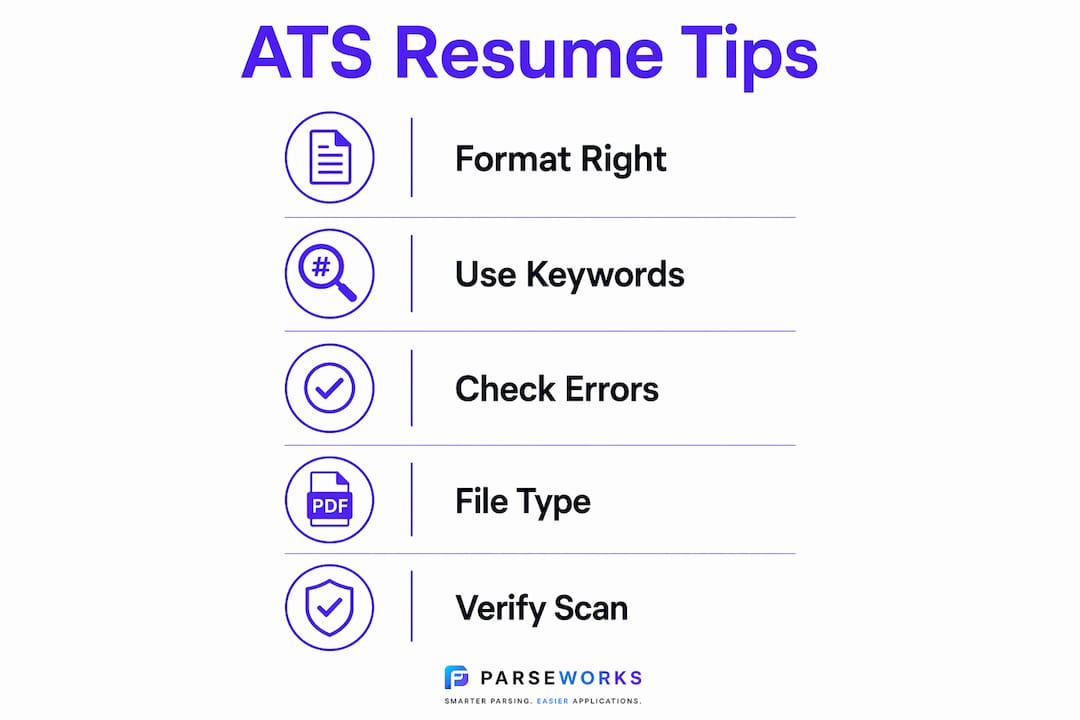
According to Robert Half, matching the job description's language closely, including both acronyms and full terms, is the most effective ATS tactic beyond basic formatting. That means if a job posting says "enterprise resource planning (ERP)," your resume should include both the acronym and the spelled-out form. The ATS may search for either one.
Here is how to build a keyword strategy that works:
- Pull exact phrases from the job description. "Attention to detail" and "detail-oriented" are not interchangeable to an ATS. Use the exact phrase the employer used.
- Cover both acronyms and long-form terms. Write "ERP (enterprise resource planning)" the first time, then use either form naturally afterward.
- Distribute keywords across multiple sections. Place them in your professional summary, your skills list, and inside your work experience bullet points. Concentration in one section looks like stuffing; distribution looks natural.
- Quantify accomplishments around keywords. "Managed ERP migration for 200-person team" is stronger than "familiar with ERP" because it gives the keyword context and weight.
- Avoid irrelevant keywords. Padding your resume with skills you do not have will pass the ATS but fail the recruiter. Recruiters scan resumes in 6 to 10 seconds after ATS passes them through. Mismatched keywords waste that window.
Pro Tip: Upload your resume and the target job description into Jobscan or Resume Worded. Both tools show you exactly which keywords are missing and how closely your language matches the posting.
Common formatting mistakes that cause ATS rejection
Most ATS rejections trace back to a small set of repeatable errors. Knowing what they are makes them easy to fix before you submit.
- Contact info in headers or footers. The ATS often skips these zones entirely, producing a resume with no name, no phone number, and no email. Move everything into the body.
- Inconsistent date formats. Mixing "January 2023," "01/2023," and "2023" in the same document causes timeline parsing errors. Pick one format, such as "Jan 2023," and use it throughout.
- Nonstandard section titles. "Career Highlights" instead of "Work Experience" or "Core Competencies" instead of "Skills" can cause the ATS to misfile or drop that section's content.
- Slash-separated skill lists. Writing "Python/SQL/Tableau" is read by many ATS platforms as one unrecognized skill rather than three separate ones. Use commas: "Python, SQL, Tableau."
- Creative job titles. Titles like "Growth Ninja" or "Customer Champion" are not recognized by ATS normalization engines. Use the standard industry title, then add context in the bullet points if needed.
The table below shows the most common errors and their direct fixes:
| Mistake | Fix |
|---|---|
| Contact info in header/footer | Move name, phone, and email to the document body |
| Mixed date formats | Standardize to one format (e.g., "Jan 2023") throughout |
| Slash-separated skills | Replace with comma-separated lists |
| Creative section headers | Use "Work Experience," "Education," "Skills" |
| Tables or text boxes | Replace with plain bullet points and standard paragraphs |
For a full list of formats to avoid, Parseworks maintains an updated guide covering the most problematic layouts in 2026.
Pro Tip: Run your resume through an ATS checker before submitting to any role. Many parsing errors are invisible to the human eye but obvious to a scanner.
What file format should you submit for ATS compatibility?
File format is the last line of defense before your resume enters the ATS. Get it wrong and none of the formatting or keyword work matters.
- .docx is the safest default. Submitting in .docx gives you the widest compatibility across ATS platforms, including older systems that struggle with PDFs.
- Text-based PDFs are acceptable when explicitly allowed. If the job posting says PDF is fine, a text-based PDF works. An image-based PDF, where the resume is essentially a scanned picture, will fail parsing completely.
- Never submit .pages or .odt files. These formats are not supported by most ATS platforms and will either error out or produce blank results.
- Follow the job posting's instructions exactly. If the employer specifies a format, use it. Deviating signals poor attention to detail before the recruiter even sees your name.
- Check your file after converting. Open the submitted version and confirm that fonts, spacing, and bullet points survived the conversion intact.
Pro Tip: If the job posting gives no file format instructions, default to .docx with plain formatting. It is the format most likely to parse cleanly across every major ATS platform.
How to verify your resume passes ATS before you submit
Passing the format and keyword checks is not enough if you never confirm the ATS actually reads your resume correctly. Testing is the step most job seekers skip, and it is often the difference between a callback and silence.
- Run your resume through an ATS scanner. Tools like Jobscan, Resume Worded, and the Parseworks ATS Checker identify parsing failures, missing keywords, and formatting issues before you submit.
- Confirm that contact information is extracted correctly. Check that the scanner pulls your name, email, phone number, and location from the body of the document, not from a header.
- Verify that dates and job titles parse cleanly. If the scanner shows gaps in your timeline or misreads a title, fix the source formatting in your document.
- Distinguish between parsing success and ranking success. Parsing means the ATS can read your resume. Ranking means it scores you highly against the job description. You need both. A perfectly parsed resume with weak keyword alignment still ranks low.
- Test against multiple job descriptions. Each role you apply for may use different terminology. Tailoring resumes for ATS means running a fresh keyword check for each application, not submitting the same document everywhere.
- Do a final human proofread. After the ATS passes your resume, a recruiter reads it. Quantified bullet points, clean grammar, and logical structure matter at that stage. Grammarly or a trusted colleague can catch what scanners miss.
Pro Tip: Test your resume against three to five job descriptions in your target role before your first application. This surfaces the keyword gaps that appear consistently across postings, which are the ones worth prioritizing.
Key takeaways
ATS resume rejection is almost always preventable: the resumes that pass combine a single-column layout, standard section headers, exact-match keywords, and a .docx file format that parsers can read without errors.
| Point | Details |
|---|---|
| Format before keywords | Parsing must succeed first; keyword optimization is irrelevant if the layout breaks the parser. |
| Use standard section headers | Labels like "Work Experience" and "Skills" are recognized; creative titles get dropped or misfiled. |
| Match job description language exactly | Include both acronyms and full terms to maximize keyword match scores. |
| Comma-separate your skills | Slash-separated lists read as one unrecognized term; commas let ATS index each skill individually. |
| Test before you submit | ATS scanners like Jobscan or the Parseworks ATS Checker catch errors that are invisible to the human eye. |
What I've learned from watching resumes fail ATS for the wrong reasons
The most frustrating pattern I see is candidates who spend hours perfecting their bullet points and then submit a beautifully designed, two-column resume in a custom font. The content is strong. The ATS never reads it.
Parsability has to come first. If the layout causes a parsing failure, the data never reaches the scoring stage. No amount of keyword optimization helps at that point. I have seen resumes with perfect keyword alignment score zero because the contact information was locked in a footer and the skills section was inside a table. The ATS returned a blank profile.
The subtler mistakes are the ones that cost people the most. A job title like "Customer Success Wizard" sounds memorable to a human but registers as unrecognized to an ATS normalization engine. A date formatted as "2021 to present" in one role and "March 2019" in another creates timeline gaps the system flags as suspicious. These are not hard fixes. They just require knowing what to look for.
My honest advice: treat your resume like a data file before you treat it like a document. Get the structure right, confirm the parser reads it correctly, then layer in the keyword work. The human readability comes last, not first. Once you have a clean, parsable base, tailoring it for each role takes minutes rather than hours.
— Sam
Check your resume before it costs you an interview
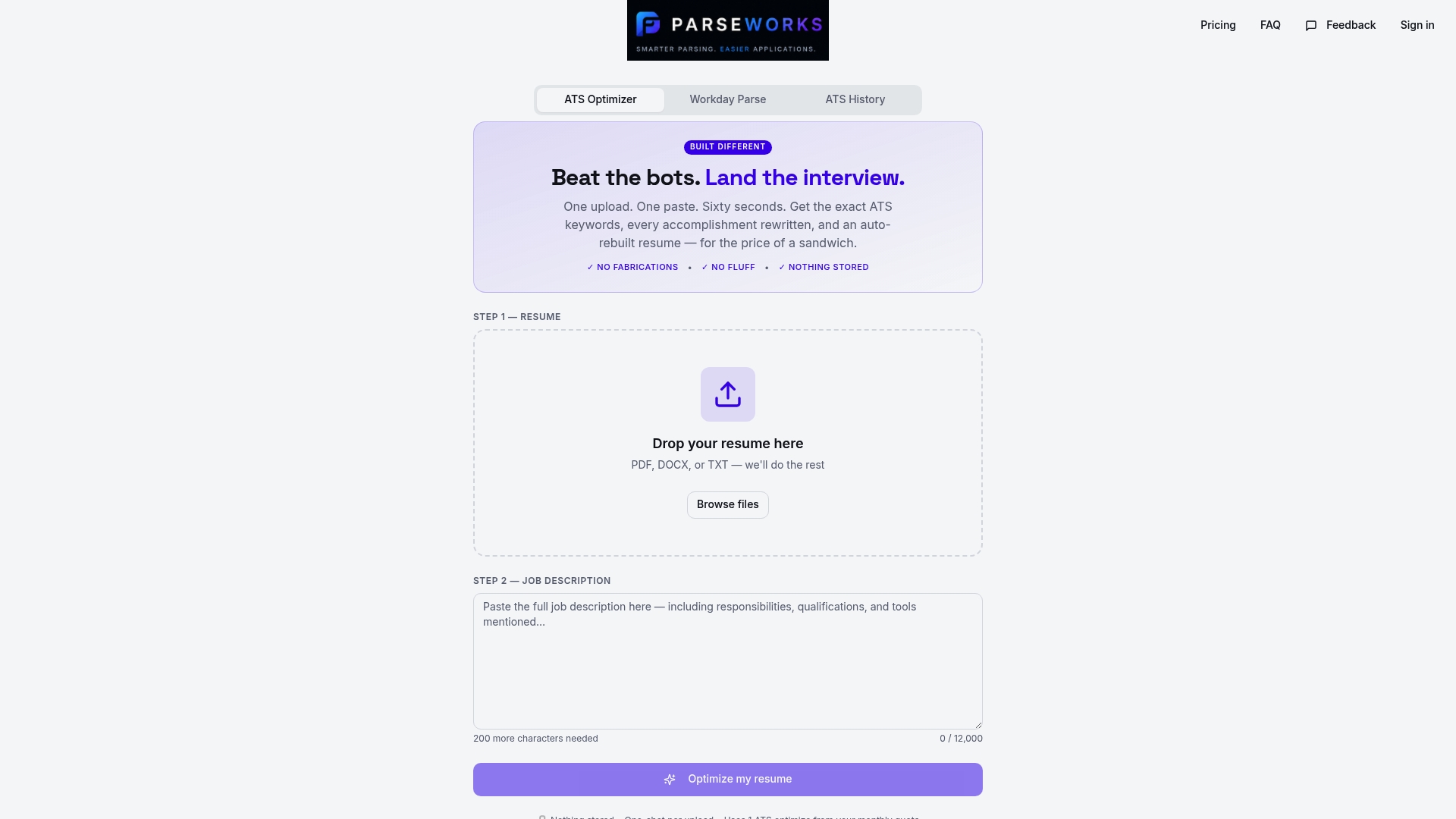
Most resume problems are invisible until an ATS rejects you silently. Parseworks built its free ATS Resume Checker to surface exactly those issues: parsing failures, missing keywords, formatting errors, and contact information that never reaches the recruiter. You upload your resume, point it at a job description, and get a readiness score with specific fixes. No guesswork, no manual copy-pasting, no hours lost to reformatting. If you are applying to roles on platforms like Workday or Greenhouse, running a check before you submit is the fastest way to confirm your resume actually gets read.
FAQ
What percentage of resumes are rejected by ATS?
More than 75% of resumes are rejected by ATS before a human recruiter sees them, primarily due to formatting issues and missing keywords. The fix is a clean single-column layout combined with exact-match language from the job description.
What file format is best for ATS?
The .docx format is the safest choice for ATS compatibility because most platforms, including older systems, parse it reliably. Use a text-based PDF only if the job posting explicitly allows it.
Why do ATS systems reject qualified candidates?
ATS rejects qualified candidates when the resume layout breaks parsing, contact information is placed in headers or footers, or keywords do not match the job description's exact phrasing. Qualifications are irrelevant if the system cannot extract the data.
How do you optimize resume keywords for ATS?
Copy exact phrases from the job description and include both acronyms and their spelled-out forms, such as "ERP (enterprise resource planning)." Distribute these terms across your summary, skills section, and work experience bullet points.
Should you use tables or columns in an ATS resume?
No. Tables, text boxes, and multi-column layouts cause ATS parsing failures that result in scrambled or missing content. A plain single-column format with standard bullet points is the only reliable structure.