

Most job seekers spend hours perfecting their resume's visual design, then wonder why they never hear back. The real issue is usually invisible: an Applicant Tracking System, or ATS, scanned their document and either misread it or couldn't find the right signals in the right places. Knowing which resume sections ATS reads first, specifically the professional summary, skills, and recent work experience, changes how you build every application. This guide breaks down exactly how ATS parses your resume, which sections carry the most weight, and what formatting choices can silently tank your chances.
Table of Contents
- Key takeaways
- Resume sections ATS reads first: the parsing order explained
- Which sections ATS prioritizes and why order matters
- Formatting mistakes that make ATS skip your sections
- How to optimize your key sections for better ATS scores
- My take on what most job seekers get wrong about ATS
- See exactly what ATS reads from your resume
- FAQ
Key takeaways
| Point | Details |
|---|---|
| ATS reads top sections first | Professional summary, skills, and recent experience are the highest-priority sections in ATS scoring. |
| Formatting affects visibility | Two-column layouts and contact info in headers cause ATS to miss entire sections of your resume. |
| Standard headings are mandatory | Labels like "Work Experience" and "Skills" help ATS correctly categorize your content for match scoring. |
| Keywords need to be distributed | Placing hard skills in summary, skills list, and experience bullets increases your match score significantly. |
| Test before you apply | Running a parse test reveals whether your sections are landing in the right structured fields. |
Resume sections ATS reads first: the parsing order explained
Before getting into which sections matter most, it helps to understand what ATS is actually doing when it receives your file. ATS does not read your resume the way a recruiter does. It extracts and categorizes text, calculating scores based on keyword presence rather than narrative flow or presentation quality.
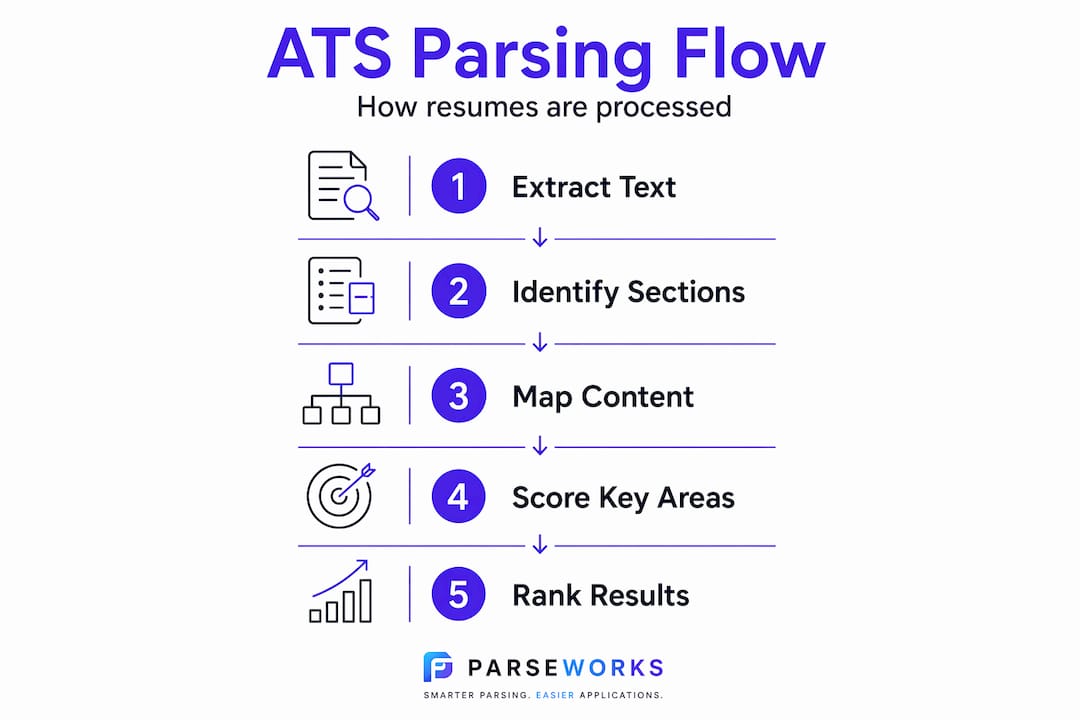
Most ATS platforms use a five-stage pipeline to process every document they receive. First, the system performs text extraction, pulling raw content from your file. Second, it runs layout analysis to map the visual structure. Third, it performs section segmentation, identifying where one section ends and another begins. Fourth, it extracts specific fields like job titles, dates, and company names. Fifth, it stores everything in a structured database that recruiters search against.
Here is why this matters for your application: if any stage fails, your resume becomes invisible in recruiter searches even if it is still sitting in the database. You were technically submitted. You just cannot be found.
The parser works top to bottom, which means the sections positioned at the top of your document are the first to be extracted and the first to contribute to your match score. That sequence is not random. It directly reflects which sections ATS weighs most heavily.
Pro Tip: Save your resume as a .docx file whenever the application accepts it. Simple fonts and single-column layouts perform significantly better in ATS parsing than PDF files with custom formatting.
Which sections ATS prioritizes and why order matters
Understanding ATS section priority changes how you should structure every resume you send out. Here is the priority order that most ATS configurations follow, along with the reasoning behind each position.
-
Professional summary or objective. ATS begins scanning at the top of your resume, and the summary is typically the first structured section it hits. This is where the system starts building its picture of who you are and whether your profile matches the job. Include the exact job title from the posting and two to three core skills here.
-
Skills section. Placing a dedicated skills section near the top of your document, directly below your summary, significantly boosts keyword detection. Standard section labels like "Skills" or "Core Competencies" help ATS correctly map your listed abilities against the job description's requirements.
-
Work experience. Recent, relevant employment close to the top is the single most important signal for ATS relevance scoring. Most systems weight your last two to three roles heavily. Titles, company names, dates, and achievement-based bullets all feed into how well your profile matches the position.
-
Contact information. This one surprises people. Contact details must live in the main body of your document, not in a header or footer. Most ATS systems cannot read content placed in header and footer fields, meaning your name and email may simply vanish from the structured record.
-
Education. Unless you are a recent graduate applying to entry-level roles, education typically sits lower on the priority scale. ATS still parses it, but it rarely drives match scoring as much as skills and experience do.
The order is not just a preference. Accurate section mapping depends on whether the parser can identify where each section starts. A resume that places a hobbies section above work experience, or buries the skills list at the bottom, actively reduces its own match score.
Formatting mistakes that make ATS skip your sections

You can write a technically perfect resume and still fail at the ATS stage because of how the document looks. 34% of analyzed resumes have critical parsing issues, most commonly contact information in headers and two-column layouts. These are not edge cases. They are the default output of most popular resume templates.
Here are the formatting choices that consistently cause ATS to misread or skip key sections:
-
Two-column layouts. When your resume splits into left and right columns, ATS reads across the page horizontally. This causes the content from both columns to merge into garbled text, making section segmentation nearly impossible.
-
Tables used to organize content. Even a simple table used to align your skills list can cause the parser to treat all cell content as one continuous string rather than individual data points.
-
Contact information placed in the header. Many Word and Google Docs templates put your name, phone, and email at the very top in a true header field. ATS typically skips this zone entirely, which means your contact record may be incomplete or blank.
-
Custom or creative section headings. Labeling your work history "Where I've Made an Impact" instead of "Work Experience" or "Professional Experience" is a parsing gamble. Creative headings reduce the chance that ATS maps your content correctly.
-
Images, icons, and graphics. A photo, a skill-rating graphic, or a decorative icon cannot be read by ATS at all. Anything your skills or experience information shares space with in a visual element risks disappearing entirely from the parsed output.
Pro Tip: Before submitting any application, paste your resume text into a plain text editor. If the result looks scrambled or section headings are missing, your ATS parsing will have the same problems. Fix the layout before you apply.
Learn more about layouts that hurt visibility so you can avoid the most common structural traps.
How to optimize your key sections for better ATS scores
Knowing which sections ATS weighs most heavily is only useful if you know how to fill them correctly. Here is a direct comparison of what weak versus strong ATS-optimized sections look like:
| Section | Weak approach | Strong approach |
|---|---|---|
| Professional summary | Generic overview of "experienced professional" | Includes exact job title, two to three hard skills from the posting |
| Skills | Listed only at the bottom of the resume | Placed near the top with standard label, includes both hard and soft skills |
| Work experience | Responsibility-based bullets with no metrics | Achievement-based bullets with numbers, keywords from the job description |
| Contact info | In the document header | In the main body, plain text, no icons or images |
| Section headings | "What I've Done" or custom labels | "Work Experience," "Skills," "Education" |
The comparison makes the gap obvious. Now here is how to close it:
-
Open with a targeted summary. Read the job description and pull two to three specific skills or qualifications the employer emphasizes. Rewrite your summary to include those exact phrases. Keyword distribution across sections matters more than concentrating all keywords in one place.
-
Build a front-loaded skills section. List your hard skills in a single-column format directly below the summary. Use the terminology the job description uses, not synonyms. If the posting says "project management" and your resume says "project coordination," you may not match.
-
Write experience bullets that contain keywords. Each bullet in your work history should describe what you accomplished, not just what you did. Include measurable outcomes and role-specific language from the job posting. ATS uses these bullets to confirm the keyword signals from your summary and skills section.
-
Use standard fonts. Calibri, Arial, and Times New Roman all parse cleanly. Decorative or custom fonts sometimes convert to unreadable characters during text extraction. This is a small fix with a meaningful impact.
-
Customize for each application. ATS match scores are calculated against the specific job description, not a general profile. A resume that scores well for one posting may score poorly for a nearly identical one if the language differs.
For a deeper look at how your work history is processed by ATS, the guide on how work history is parsed covers exactly what fields ATS extracts from your experience section and how placement affects scoring.
My take on what most job seekers get wrong about ATS
I've reviewed hundreds of resumes that looked stunning as PDFs and performed terribly when run through a parser. The honest truth is that most resume advice focuses on human readers, and the assumption is that if it looks good, it works. That assumption is wrong.
What I've seen repeatedly is that the resumes failing ATS are not the ones with weak experience. They are the ones with beautiful design. A two-column template with a photo, icons for soft skills, and contact info in a header header will score near zero in an ATS even if the candidate is a perfect match for the role. The visual polish actually creates the parsing failure.
What changed my approach was running resumes through ATS simulation tools and watching what the parser actually extracted. Seeing a well-written professional summary vanish because it was placed inside a text box was clarifying in a way that reading about ATS never was. The visual resume and the parsed resume are two completely different documents.
My advice: treat the ATS version of your resume like a data file, not a document. Every section needs a standard label. Every piece of content needs to be in plain, extractable text. Once the parser can actually read your resume, your real qualifications get a fair shot. That is the balance. Clean enough for ATS, compelling enough for the recruiter who reads it next.
— Sam
See exactly what ATS reads from your resume
If you have ever wondered whether your resume sections are landing in the right places, ParseWorks gives you a direct answer. The free ATS resume checker shows you exactly how a parser reads your document, which sections it picks up correctly, and where content is getting dropped or misread.
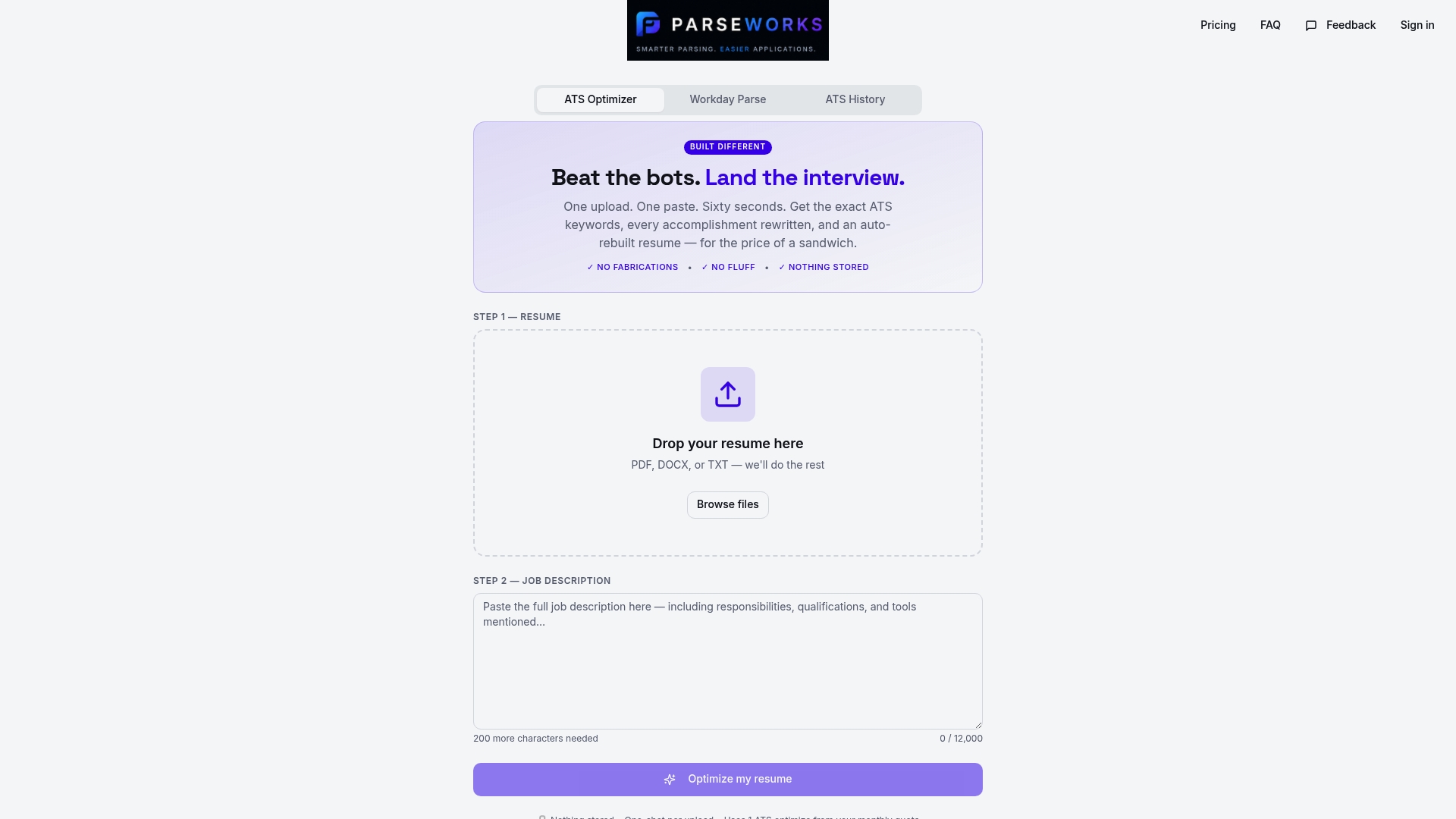
ParseWorks also helps you optimize and rewrite your resume content for specific job postings, so your summary, skills, and experience are aligned with the keywords that actually move the needle. No guesswork. No copy-pasting into a hundred broken application fields. Just a faster, cleaner way to know your resume is working before you hit submit. Try it free at ParseWorks.
FAQ
What section does ATS read first on a resume?
ATS processes resumes from top to bottom, so the professional summary or objective is typically the first section it scans and extracts. This makes the summary your most important placement for high-priority keywords.
Why does resume section order matter for ATS?
ATS assigns higher weight to sections that appear early and are correctly labeled. Placing skills and recent experience near the top ensures those fields are parsed and scored accurately against the job description.
Can ATS miss sections entirely?
Yes. Sections placed in headers, footers, or tables are frequently skipped or scrambled during text extraction, which means their content never contributes to your match score.
What are the best section headings to use for ATS?
Use standard labels: "Professional Summary," "Skills," "Work Experience," and "Education." Non-standard headings prevent ATS from correctly mapping your content to the right structured fields.
How do I know if my resume is ATS-friendly?
Paste your resume into a plain text editor and check if section headings and content appear in the correct order without scrambling. Better yet, run it through a dedicated parsing tool to see the structured output your resume actually produces.