

Resume formatting ATS compatibility is the practice of structuring your resume so applicant tracking systems can accurately read, parse, and rank your information before a human ever sees it. Most large employers run every application through an ATS platform like Workday, Greenhouse, or Taleo before a recruiter reviews a single line. If your formatting breaks the parser, your qualifications are invisible. The fix is not a design overhaul. It is a set of specific, learnable rules covering layout, file type, section headings, and keyword placement that any job seeker can apply today using tools like Microsoft Word or Google Docs.
What are the essential features of an ATS-compatible resume format?
ATS software extracts data based on patterns, not visual appearance, so simplicity and standardization are what drive accurate parsing. A beautifully designed resume with columns, icons, and custom fonts can score zero in an ATS scan while a plain, well-structured document sails through. Understanding this distinction is the foundation of every formatting decision you make.
Layout and structure
A single-column, linear layout is the correct structure for an ATS-compatible resume. Multi-column designs and tables force the parser to read across rows instead of down the page, which scrambles the text order and produces nonsense output. Build your resume in Microsoft Word or Google Docs using a one-column format, then export to .docx or a text-based PDF.
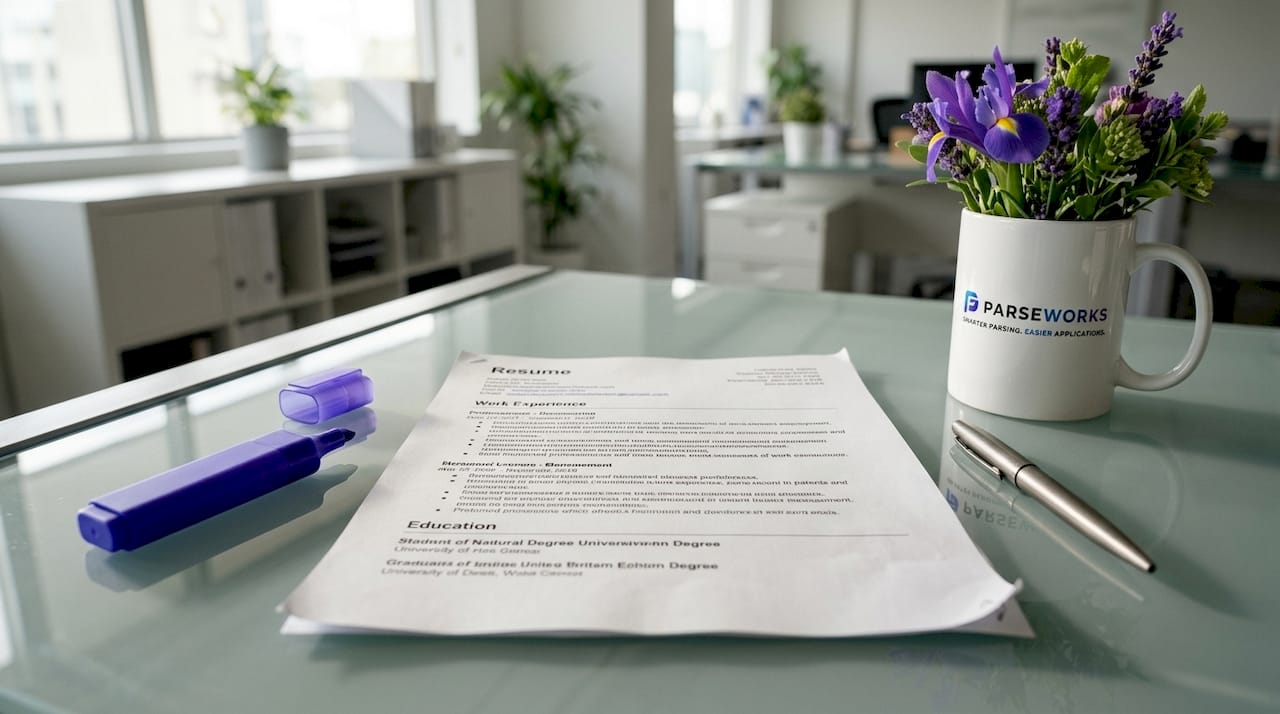
Building in Word or Google Docs with a simple one-column layout allows clean export to either format without hidden formatting artifacts. Most job portals prefer .docx, but text-based PDFs are widely accepted. The one format to avoid entirely is an image-based or scanned PDF, which an ATS reads as a blank page.
Section headings, fonts, and bullets
Standard section headings are non-negotiable for correct ATS categorization. Use labels like Work Experience, Education, Skills, and Certifications. Contact details belong in the main body, never in a header or footer, because most parsers skip those zones entirely.
For fonts, Arial, Calibri, and Times New Roman are the safest choices. Decorative or uncommon fonts can render as symbols or get dropped during extraction. For bullet points, use simple characters like dashes or circles. Custom symbols and artistic bullets confuse ATS parsing engines and can cause entire bullet lines to disappear from the parsed output.
| Element | ATS-safe choice | What to avoid |
|---|---|---|
| Layout | Single column | Two columns, tables, text boxes |
| File format | .docx or text-based PDF | Image PDF, scanned document |
| Section headings | Work Experience, Education, Skills | "My Story," "What I Bring," custom labels |
| Fonts | Arial, Calibri, Times New Roman | Decorative or script fonts |
| Bullets | Dashes, circles | Custom symbols, icons, graphics |
Pro Tip: Before submitting, open your resume in a plain-text editor like Notepad. If the content reads in the correct order with no symbols or garbled lines, your layout is ATS-safe.
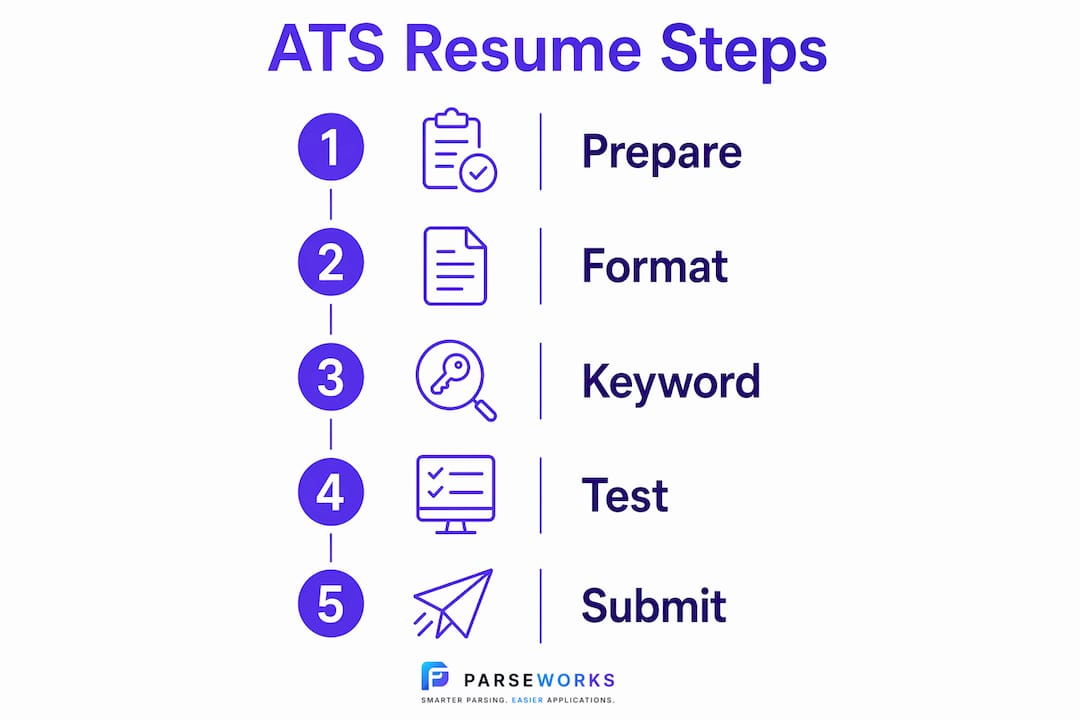
How do you optimize keywords and content for ATS parsing?
Keywords are the signal an ATS uses to match your resume to a job. Including exact terms from the job description in your summary, skills section, and bullet points directly improves your ranking within the system. This is not about gaming the process. It is about speaking the same language the job posting uses.
Start with the job description itself. Copy the required skills, tools, and qualifications into a separate document, then check which ones appear on your resume. If the posting says "project management" and your resume says "led projects," the ATS may not connect them. Use the exact phrase.
Acronyms deserve special attention. Write both the full term and the abbreviation the first time you use it. "Master of Business Administration (MBA)" covers both the spelled-out search and the abbreviated one. The same logic applies to certifications like "Project Management Professional (PMP)" or software like "Search Engine Optimization (SEO)." Acronyms and full forms together improve matching accuracy across different ATS configurations.
Quantified, achievement-focused bullet points that incorporate keywords are favored by ATS systems and also make a stronger impression on the recruiter who reads your resume afterward. "Reduced customer churn by 18% by implementing a new onboarding workflow" does more work than "Responsible for customer retention." The first version contains measurable results, a keyword ("onboarding"), and a clear outcome.
Pro Tip: Run your resume and the job description through a keyword comparison tool. Jobscan and ParseWorks both highlight gaps between your resume language and the posting's required terms, so you can close the match rate before submitting.
Avoid keyword stuffing. Pasting a block of keywords at the bottom of your resume in white text is a tactic that modern ATS platforms flag and recruiters find immediately. Every keyword should appear in a sentence that describes real work you did. Consistent, accurate spelling matters too. A misspelled skill like "Pyton" instead of "Python" will not match any search query, no matter how many times it appears.
What common formatting mistakes hinder ATS compatibility?
Formatting errors are the most common reason qualified candidates get filtered out before a recruiter sees their application. Most of these mistakes come from prioritizing visual design over machine readability. Here are the errors that cause the most damage.
-
Using multi-column layouts or tables. Parsers read left to right, top to bottom. A two-column layout causes the ATS to merge text from both columns into a single jumbled line. Check out ATS-blacklisted resume formats for a full breakdown of which designs fail most often.
-
Placing contact information in headers or footers. Many ATS platforms skip header and footer zones during extraction. Your name, phone number, and email address belong in the main body of the document.
-
Embedding graphics, logos, photos, or icons. Images are invisible to text parsers. A resume that uses icons for skills ratings or a headshot in the corner loses that information entirely during ATS processing.
-
Using nonstandard section titles. Creative headings confuse ATS categorization. A section labeled "Where I've Made an Impact" will likely be misclassified or skipped. "Work Experience" is recognized universally.
-
Submitting image-based or scanned PDFs. Image-based PDFs are unreadable by ATS. If you scanned a paper resume or exported from a design tool like Canva without text layers, the ATS receives a blank file.
-
Ignoring file naming conventions. A file named "Resume_v3_FINAL_USE_THIS.docx" looks unprofessional and can cause issues in some upload systems. Use a clean format: "FirstName_LastName_Resume.docx."
Pro Tip: If you designed your resume in Canva or Adobe InDesign, do not submit that file directly. Recreate the content in Microsoft Word using a single-column layout, then export. The visual version can still be shared as a portfolio piece or sent directly to a recruiter after the ATS screen.
How do you test and maintain ATS compatibility?
Testing your resume before submitting takes less than five minutes and can prevent weeks of silence from employers. The simplest method is the copy-paste test into a plain-text editor. Open Notepad on Windows or TextEdit on Mac, paste your resume content, and read through it. If the text flows in logical order with clean line breaks, your formatting is likely ATS-safe. If bullet points appear in the wrong section or columns merge into a single scrambled line, the document has parsing problems.
Dedicated testing tools
Jobscan and ParseWorks both offer ATS compatibility checkers that go beyond the copy-paste test. They analyze keyword match rates, flag formatting issues, and score your resume against a specific job description. This is especially useful when you are applying to roles with detailed technical requirements where keyword precision matters most.
Maintaining multiple resume versions
Maintaining separate ATS and human-friendly versions is a practice that Robert Half and Indeed both recommend, and it is one of the most practical habits a job seeker can build. The ATS version prioritizes clean parsing: single column, standard headings, no graphics, keyword-rich bullets. The human version can include subtle design elements, color accents, and a more polished layout for when a recruiter requests your resume directly or you are handing it to someone at a networking event.
Understanding why multiple resume versions matter is about recognizing that two different audiences evaluate your resume at two different stages. Optimizing for both is not extra work. It is a smarter use of the work you have already done.
- Keep your ATS resume in .docx format as the default submission file.
- Save your human-readable version as a designed PDF for direct sharing.
- Update both versions every time you add a new role, certification, or skill.
- Name files clearly: "FirstName_LastName_ATS_Resume.docx" and "FirstName_LastName_Resume_Design.pdf."
Pro Tip: Review how your work history is parsed by ATS systems specifically. Date formatting, job title placement, and company name structure all affect whether the parser correctly identifies your experience timeline.
Key takeaways
ATS-compatible resume formatting requires a single-column layout, standard section headings, keyword-matched content, and a .docx or text-based PDF file to pass automated screening and reach a human recruiter.
| Point | Details |
|---|---|
| Use a single-column layout | Multi-column designs and tables cause parsers to scramble text, making your resume unreadable. |
| Stick to standard section headings | Labels like Work Experience and Skills are recognized universally; creative titles get misclassified. |
| Match keywords from the job description | Use exact terms and include both acronyms and full forms to maximize ATS match rates. |
| Avoid image-based PDFs | Scanned documents and design-tool exports without text layers appear blank to ATS parsers. |
| Test before you submit | The copy-paste test in Notepad or a tool like ParseWorks takes minutes and catches critical errors. |
What I've learned about ATS formatting that most guides get wrong
Most resume advice treats ATS optimization as a one-time fix. Update the font, add some keywords, done. That framing misses the bigger picture.
The real issue is that simplifying resume formatting is less about aesthetics and more about reducing parsing errors to get to a human recruiter. Every formatting decision is a communication decision. You are not designing for a screen. You are designing for a text extraction engine that has no patience for ambiguity.
The misconception I see most often is the belief that a visually impressive resume signals effort and professionalism. It does, but only to the human who eventually reads it. Before that moment, a resume with gradients, icons, and two columns is a liability. I have reviewed resumes from highly qualified candidates where the ATS output was so garbled that their job titles appeared in the skills section and their contact information was missing entirely. The candidate had no idea.
The other thing worth saying plainly: keyword optimization is not dishonest. If you have the skill, use the word the employer uses to describe it. Matching language is not manipulation. It is clarity. The ATS-friendly resume format guide I recommend most often makes this point well. Your resume should describe real work in the language the industry actually uses.
ATS platforms will keep evolving, and some newer systems handle richer formatting better than older ones. But the safest strategy in 2026 is still to write for the most conservative parser in the stack. Simplicity does not cost you anything with a human reader. Complexity costs you everything with a machine.
— Sam
Check your resume's ATS score before your next application
If you have spent time fixing your formatting and optimizing your keywords, the last step is confirming it actually works. ParseWorks gives you a free, instant ATS compatibility score based on your resume's formatting, keyword match rate, and section structure.
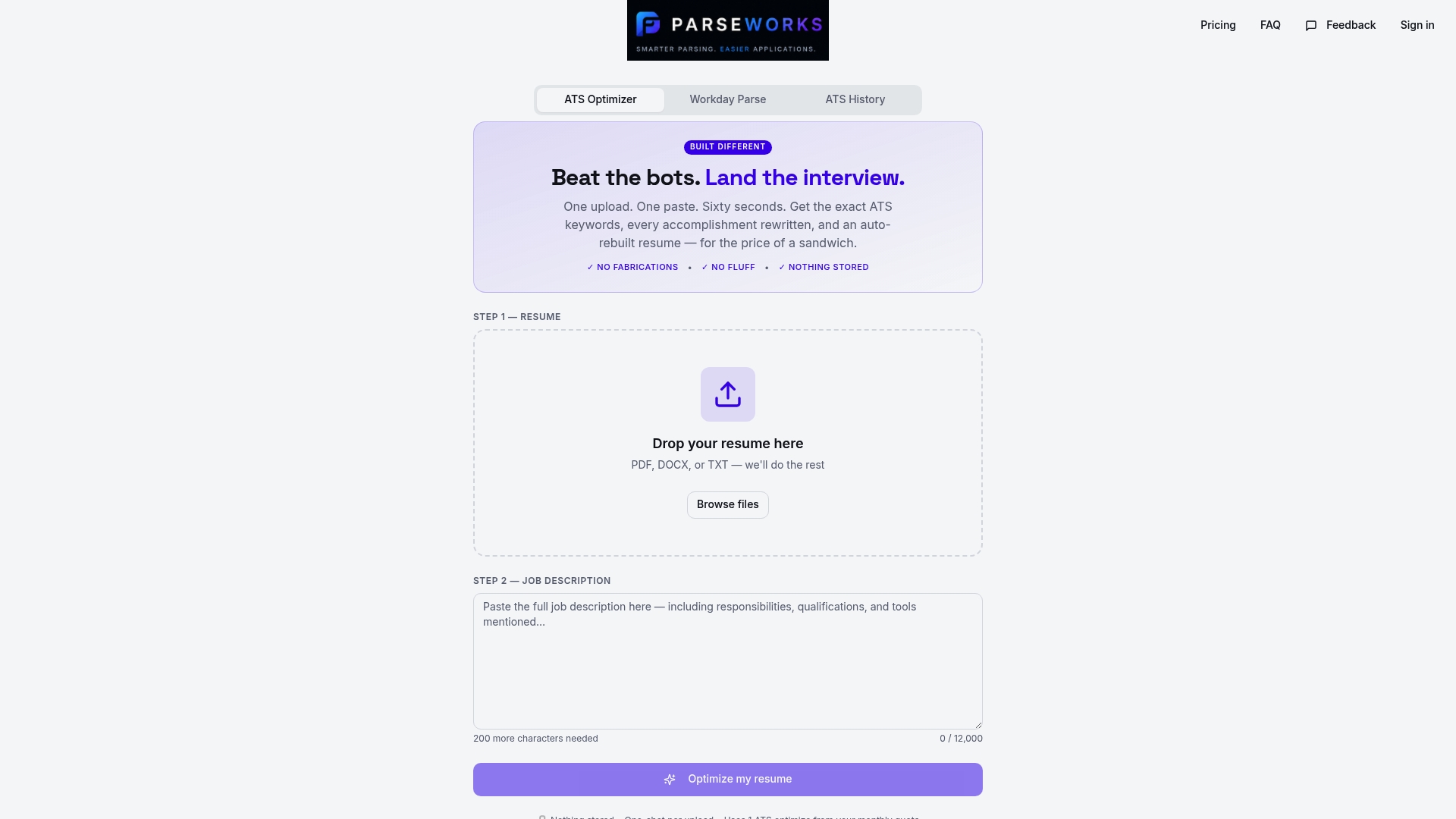
Upload your resume to the free ATS resume checker and get a detailed breakdown of what is passing, what is failing, and exactly what to fix. ParseWorks also surfaces missing keywords from the job description and suggests rewritten bullet points grounded in your actual experience. No copy-pasting into broken application portals. No guessing whether your formatting will survive the scan. Just a clear score and a faster path to the interview.
FAQ
What is ATS resume formatting?
ATS resume formatting is the practice of structuring a resume so applicant tracking systems can accurately extract and categorize your information. It prioritizes single-column layouts, standard section headings, and clean file formats over visual design.
Which file format is best for ATS compatibility?
The .docx format is the safest choice for most ATS platforms. Text-based PDFs are widely accepted, but image-based or scanned PDFs are unreadable by parsers and should never be submitted.
Do keywords really affect ATS rankings?
Yes. ATS platforms rank resumes by matching your content against the job description's required terms. Using exact phrases from the posting, including both acronyms and full forms, directly improves your score within the system.
How do I know if my resume is ATS-friendly?
Paste your resume content into a plain-text editor like Notepad. If the text reads in logical order with no scrambled lines or missing sections, the formatting is likely ATS-safe. Tools like ParseWorks provide a more detailed analysis including keyword gap reporting.
Can I use the same resume for every application?
A base ATS resume is a good starting point, but tailoring the keywords and summary for each role improves your match rate significantly. Maintain one clean ATS version as your template and update it for each job posting before submitting.