

Resume parsing is the automated process that converts unstructured resume files into structured, searchable data fields that hiring systems can immediately read, filter, and rank. Platforms like Workday, Lever, and Greenhouse rely on this technology to process thousands of applications without a single human reading each file first. Understanding what resume parsing is, and how it works, gives you a direct advantage: you can format and write your resume so the system captures your qualifications accurately instead of dropping them entirely. ParseWorks was built specifically to help professionals do exactly that.
What is resume parsing and how does it fit into hiring?
Resume parsing, also called CV parsing, is the technology that turns unstructured resume text into clean, standardized data fields an applicant tracking system (ATS) can store and search. Before parsing existed, recruiters manually entered candidate data into databases. That process was slow, inconsistent, and prone to error. Parsing automates that entire step.
Every major ATS platform uses a parser as its front door. When you submit a resume to a job posting on Workday or Lever, a parser reads your file before any human does. It extracts your name, contact details, work history, skills, and education, then populates those fields in the recruiter's database. If the parser misreads or skips a field, that data simply does not exist in the system. A recruiter searching for "Python developer with 5 years of experience" will never see your profile, even if your resume says exactly that.

This is why resume parsing technology is not just a back-end technical detail. It directly controls whether your application is visible or invisible in a competitive hiring process.
How does resume parsing work step by step?
Resume parsing follows five distinct stages: file ingestion, text extraction, section identification, entity extraction, and structured output. Each stage builds on the last, and a failure at any point degrades the quality of your final candidate profile.
Stage 1: File ingestion. The parser receives your resume file, whether it is a PDF, DOCX, or scanned image. It identifies the file type and routes it to the correct extraction method.
Stage 2: Text extraction. For digital files, the parser reads the raw text directly. For scanned documents or image-based PDFs, it uses optical character recognition (OCR) to convert visual content into machine-readable characters. Resume parsers handle PDFs, DOCX, and scanned images through this OCR layer, which is why a scanned resume almost always parses less accurately than a native digital file.
Stage 3: Section identification. The parser uses natural language processing (NLP) to locate and label sections such as "Work Experience," "Education," and "Skills." It looks for heading patterns, keyword signals, and layout cues to draw boundaries between sections.
Stage 4: Entity extraction. Within each section, the parser pulls out specific data points: job titles, company names, employment dates, degree types, institutions, and skill terms. Modern parsers use machine learning models trained on millions of resumes to recognize these entities. ML-based parsers assign probabilistic confidence scores to each extraction, which means unconventional formatting or unusual job titles can lower confidence and produce errors.
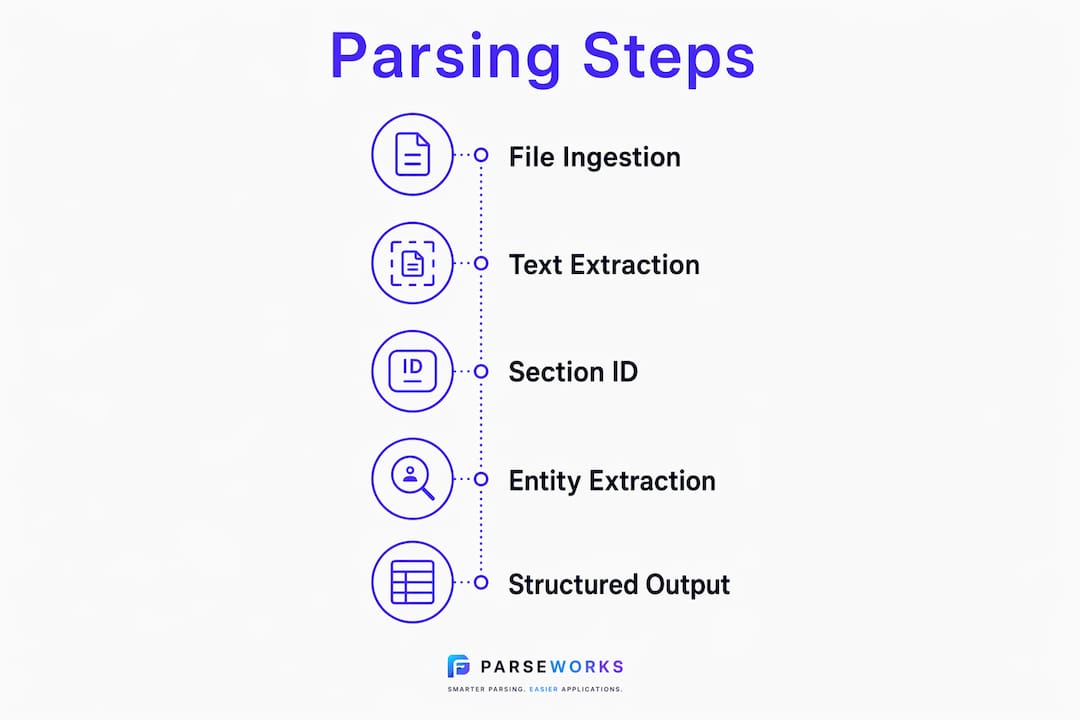
Stage 5: Structured output. The extracted data is written into a standardized format, typically JSON or XML, and pushed into the ATS database. Processing speed runs approximately 1.22 seconds per page, but accuracy drops significantly when layouts are complex. Speed is not the bottleneck. Accuracy is.
Pro Tip: Save your resume as a standard PDF exported from Microsoft Word or Google Docs, not scanned or printed-to-PDF from a design tool. Native digital PDFs parse with far greater accuracy than image-based files.
What information do resume parsers extract?
Parsers extract a defined set of fields from every resume they process. Knowing which fields matter most helps you write and format your resume so those fields are captured cleanly.
The core extracted fields include:
- Contact information: Full name, email address, phone number, LinkedIn URL, and location
- Work experience: Job titles, employer names, start and end dates, and role descriptions
- Education: Degree type, institution name, field of study, and graduation year
- Skills: Technical skills, tools, programming languages, certifications, and soft skills
- Summary or objective: Opening statement text, often used for keyword matching
Missing or misparsed fields have real consequences. If your job title is buried inside a table cell or formatted as an image, the parser may skip it entirely. A recruiter filtering for "Senior Product Manager" will not find you even if you held that exact role. The same applies to skills: if your skills section uses a two-column layout or icon-based design, many parsers will either misread the content or ignore it completely.
Consistency in formatting is the single biggest factor in clean data extraction. Dates formatted as "Jan 2022 to Mar 2024" parse more reliably than "01/22 03/24" or creative variations. Job titles that match standard industry terminology score higher in keyword matching than creative internal titles like "Growth Ninja" or "Customer Champion."
Pro Tip: Review how your work history is parsed by ATS systems before you apply. A single mislabeled date range can make your most recent role appear older than it is, which directly affects how the ATS ranks your application.
How do resume formatting choices affect parsing accuracy?
Formatting is where most job seekers unknowingly sabotage their own applications. A resume that looks polished in a PDF viewer can be a disaster for a parser reading the underlying data.
The table below shows how common formatting choices compare in parsing reliability:
| Formatting element | Parsing reliability | Why it matters |
|---|---|---|
| Single-column linear text | High | Parser reads content in correct order without confusion |
| Two-column layout | Medium to low | Parser may merge columns or skip content entirely |
| Tables for skills or experience | Low | Tables frequently cause parsing failures and data loss |
| Graphics, icons, or logos | Very low | Visual elements are invisible to text-based parsers |
| Standard PDF from Word or Docs | High | Native text layer is fully machine-readable |
| Scanned or image-based PDF | Low | Requires OCR, which introduces recognition errors |
The most common formatting mistakes that cause parsing errors include:
- Using text boxes in Microsoft Word or Adobe InDesign, which parsers often skip entirely
- Placing contact information in the header or footer of a document, where many parsers do not look
- Using decorative fonts or very small font sizes that confuse OCR systems
- Listing skills as icons or visual rating bars instead of plain text
- Separating sections with horizontal image elements instead of text-based dividers
The fix is straightforward. Follow an ATS-friendly resume format that uses a single column, standard fonts like Calibri or Arial, and clear text-based section headings. Your resume can still look professional without the design elements that break parsing.
Benefits of resume parsing for job seekers and recruiters
Resume parsing automates repetitive resume review, improving speed, accuracy, and fairness across the hiring process. For recruiters managing hundreds of applications per role, parsing is the only practical way to evaluate candidates at scale without sacrificing data quality.
For job seekers, the benefit is less obvious but equally significant. When your resume parses cleanly, your full profile appears in recruiter searches. Your skills match against job requirements. Your experience ranks correctly against other candidates. A clean parse is the prerequisite for everything else in the ATS workflow, including keyword scoring, ranking algorithms, and shortlisting.
"Parsing is the first step inside ATS; scoring and ranking come after clean parsing." This means no amount of keyword optimization matters if the parser failed to extract your data correctly in the first place.
Parsing also reduces certain forms of bias in early-stage screening. When candidate data is standardized into identical fields, recruiters search by qualifications rather than by how a resume looks or how it was designed. Automated resume parsing levels the playing field between candidates who can afford professional resume design and those who cannot. The role of AI in resume screening continues to expand, and parsers are the foundation that makes AI-driven candidate evaluation possible.
It is worth noting that parsing does not replace human review. It structures data so recruiters can work faster and more accurately. The human decision still happens. Parsing just determines whether you are in the room when it does.
Key takeaways
Resume parsing accuracy depends entirely on how well your resume's structure matches what the parser expects to find, and fixing that is within your control.
| Point | Details |
|---|---|
| Parsing controls visibility | If the parser misses a field, recruiters cannot find you in ATS searches. |
| Five-stage pipeline | Parsing runs through ingestion, extraction, section ID, entity extraction, and output. |
| Formatting breaks parsing | Tables, columns, and graphics cause data loss that keyword optimization cannot fix. |
| Clean data enables ranking | Scoring and shortlisting only work after accurate parsing completes. |
| Format for machines first | Use single-column layouts, standard fonts, and native digital PDFs to maximize accuracy. |
What I've learned watching resumes fail the parser test
I have reviewed hundreds of resumes that looked genuinely impressive on screen and performed terribly in ATS systems. The pattern is almost always the same: a designer or a well-meaning career coach prioritized visual appeal over machine readability, and the candidate had no idea their qualifications were being silently dropped.
The most frustrating cases involve candidates with exactly the right experience for a role who never made it to a recruiter's screen. Not because their skills were wrong. Because their resume used a two-column layout with a skills table in the sidebar, and the parser merged both columns into a single unreadable string of text.
My honest observation after working in this space is that most job seekers are optimizing the wrong thing. They spend hours perfecting bullet point language and zero minutes checking whether the parser can actually read those bullets. The conventional advice to "make your resume stand out visually" is actively harmful when you are applying through an ATS, which is nearly every corporate job posting today.
The practical fix is not complicated. Write in plain text structure. Use standard headings. Test your resume through a parsing tool before you apply. The balance between human readability and machine friendliness is achievable. A clean, well-organized single-column resume reads well to both audiences. You do not have to choose one over the other. You just have to stop assuming that what looks good on screen is what the system actually sees.
— Sam
Check your resume's parsing score before you apply
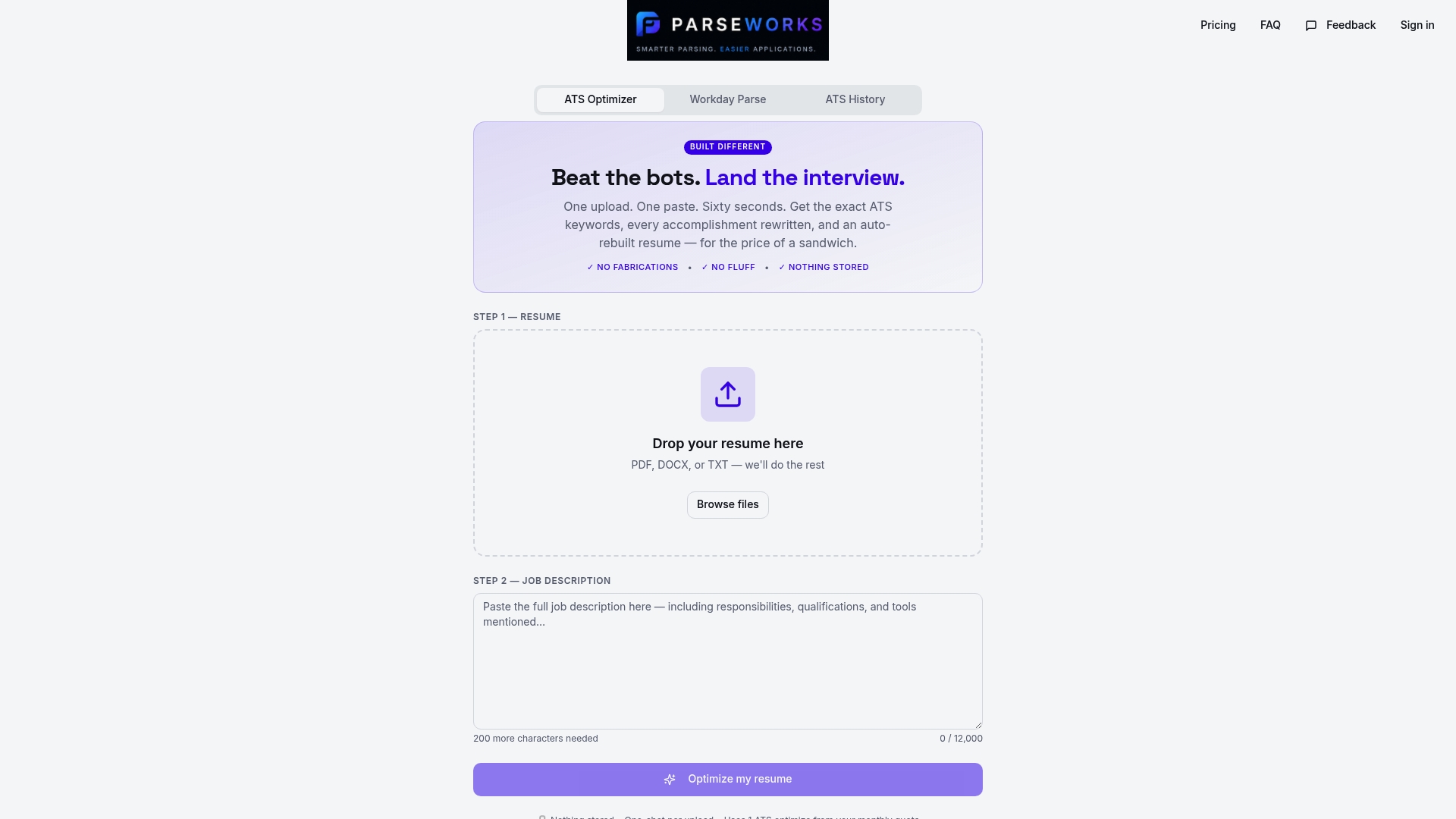
Most job seekers submit applications without knowing whether their resume parsed correctly. ParseWorks fixes that. The free ATS resume checker analyzes your resume for parsing compatibility, flags fields that are likely to be missed or misread, and gives you a concrete readiness score. You see exactly what an ATS extracts from your file before a recruiter does. ParseWorks also surfaces keyword gaps and suggests formatting corrections specific to the platform you are applying through, including Workday. Run your resume through it once and you will immediately understand why some applications never get a response.
FAQ
What is resume parsing in simple terms?
Resume parsing is the automated process that reads your resume file and converts it into structured data fields an ATS can search and filter. Think of it as a translation layer between your document and the recruiter's database.
Does every ATS use resume parsing?
Nearly every modern ATS platform, including Workday, Lever, Greenhouse, and iCIMS, uses a parser to process incoming applications. Parsing is the standard first step before any human reviews your file.
What file format parses most accurately?
A native digital PDF exported from Microsoft Word or Google Docs parses most accurately. Scanned PDFs and image-based files require OCR processing, which introduces recognition errors that reduce data quality.
Why does my resume get rejected by ATS systems?
ATS rejection often happens because the parser failed to extract key fields correctly due to formatting issues like tables, columns, or graphics. If your job titles, skills, or dates are not recognized, your profile will not appear in recruiter searches regardless of your qualifications.
What is the difference between resume parsing and ATS screening?
Parsing converts your resume into structured data. ATS screening uses that data to filter, score, and rank candidates against job requirements. Parsing happens first. If parsing fails, screening never evaluates your actual qualifications.