

Tables in resumes are one of the most common resume formatting mistakes that silently kill job applications before a recruiter ever reads them. Applicant Tracking Systems like Workday, Greenhouse, and Lever parse resumes as linear text streams, and tables create two-dimensional grids those systems cannot reliably reconstruct. The result is scrambled job titles, merged skills, and broken work history entries that make your resume nearly invisible in recruiter searches. Understanding how tables break resume parsing is the first step toward fixing a problem that affects far more candidates than most realize.
How tables break resume parsing in DOCX and PDF files
The technical term for what ATS do to your resume is parsing, specifically the extraction of structured data from unstructured document formats. When an ATS encounters a table in a DOCX file, it reads the underlying XML sequentially. DOCX tables are stored as nested "<w:tbl>, <w:tr>, and <w:tc>` elements, meaning rows and cells are defined in the markup. Most ATS parsers do not reconstruct that grid. They read cell content in document order, which often means left column cell 1, right column cell 1, left column cell 2, right column cell 2, producing a mixed-up string of text that no longer maps to any coherent section of your resume.
PDF parsing is even more error-prone. PDF files have no semantic structure at all. ATS reconstruct text from spatial coordinates, essentially guessing where one word ends and another begins based on pixel positions on the page. PDF column boundaries are frequently misidentified, causing the parser to read the first line of your left column and the first line of your right column as a single merged line. A candidate whose left column reads "Software Engineer" and whose right column reads "Python, Java, SQL" might end up with a parsed entry that says "Software EngineerPython, Java, SQL," which means nothing to a keyword search algorithm.

Workday, Greenhouse, and Lever all explicitly recommend avoiding tables, columns, headers, footers, and text boxes in submitted resumes. Greenhouse's own documentation states this directly. That recommendation exists because these platforms have seen the parsing failures firsthand and have not built reliable workarounds. The burden falls entirely on the job seeker.
Pro Tip: Save two versions of every resume. Keep one visually formatted version for in-person networking or direct email submissions. Submit only the plain, single-column version to any online application portal.
The core problem is that two-column and table layouts prioritize visual appeal for human readers but cause parsing failures in roughly 70% of ATS systems. That is not a minor risk. It means the majority of systems processing your application will misread your credentials before a human ever sees them.
What parsing errors actually look like in your ATS profile
When an ATS misreads a table, the damage shows up in specific, predictable ways. Here are the most common resume parsing issues caused by table formatting:
-
Merged skills and job titles. A two-column layout that places your job title on the left and your skills list on the right often produces a single concatenated string like "Senior Product ManagerAgile, Jira, Roadmapping." The ATS stores this as one field, and neither "Senior Product Manager" nor "Agile" will match correctly in a keyword search.
-
Broken work history entries. Work history parsed by ATS depends on recognizing company name, job title, dates, and bullet points as distinct fields. A table layout scrambles that sequence, so your employer name may appear in the middle of a bullet point or your dates may attach to the wrong role entirely.
-
Missing or misplaced section headers. When table cells containing section labels like "Experience" or "Education" are read out of order, the ATS cannot classify what follows. Content gets filed under the wrong category or dropped entirely from the parsed profile.
-
Concatenated bullet points. Bullet points placed inside table cells often lose their list formatting during extraction. The parser reads them as a single run-on sentence, which destroys the clarity of your accomplishments and reduces keyword match rates.
"Data from over 1,000 software engineering applications confirms that single-column resumes outperform two-column formats in ATS readability because parsers read content streams linearly and struggle to correctly order columns."
These errors matter because recruiters search ATS databases by keyword. If your skills are merged with your job title in the parsed output, a search for "Python" may not surface your profile even though you listed Python clearly on your resume. You did everything right visually. The table formatting made it invisible.
Why AI-powered parsers still can't fix table problems
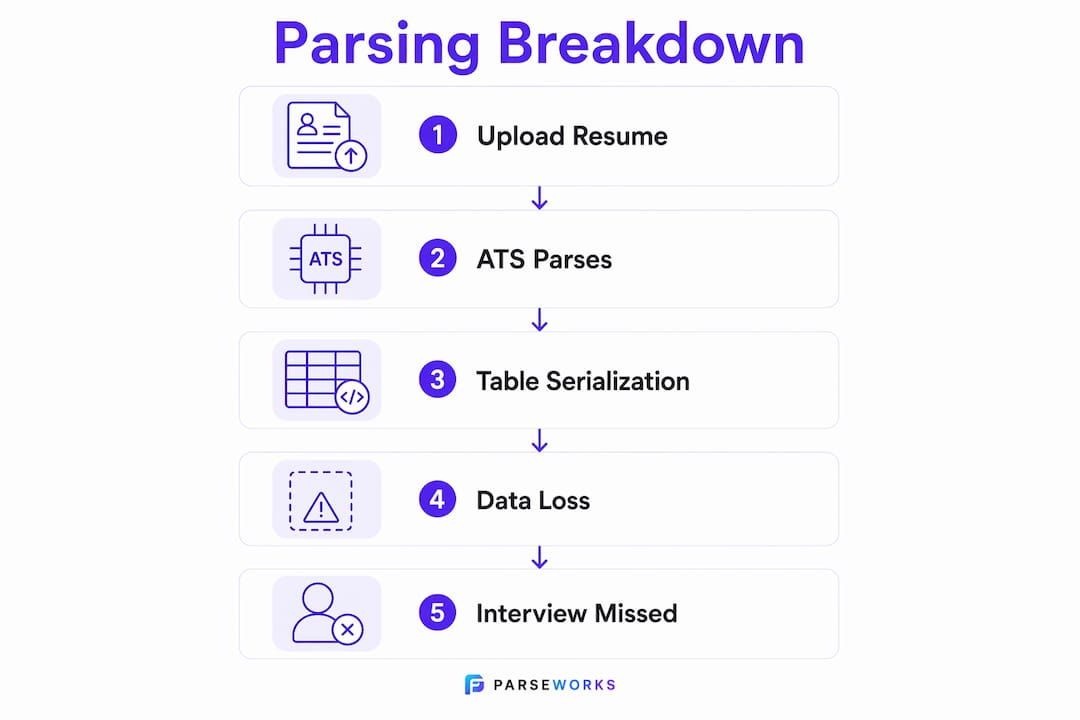
Many job seekers assume that modern AI-driven ATS have solved the table problem. They have not. The issue is structural, not a matter of processing power.
When any parser, whether rule-based or LLM-powered, encounters a table, it must serialize that table into linear text before processing it. Serialization means converting the two-dimensional grid into a flat sequence of words. That process destroys the relational context that makes a table meaningful. A cell that says "2019" only means "employment start date" because of its position relative to a company name and job title in adjacent cells. Once serialized, that positional relationship is gone.
Research from NeurIPS 2025 confirms this is a fundamental limitation. Structural information loss during table serialization limits LLMs' ability to understand tables, and modeling tables as an independent data modality improves parsing accuracy by over 42%. That improvement requires treating tables as structured data objects, not as text. Current ATS platforms do not do this.
| Parsing method | How it handles tables | Typical outcome |
|---|---|---|
| Rule-based ATS (most common) | Reads XML or PDF coordinates sequentially | Merged cells, scrambled order, dropped content |
| LLM-based parser | Serializes table to flat text before processing | Loses row/column relationships, misclassifies fields |
| Structured data extraction | Preserves table as JSON or row-anchored objects | Accurate field mapping, correct relationships |
The third method in that table is what researchers recommend, but it is not what Workday, Greenhouse, or Lever currently deploy at scale. Workday alone powers hiring for roughly half of Fortune 500 companies, and its parser still struggles with tables. Waiting for ATS technology to catch up is not a strategy. Removing tables from your resume is.
Pro Tip: If you want to understand how AI structured generation handles complex document elements like tables, the gap between what LLMs can theoretically do and what deployed ATS actually do is significant. Check resources on AI structured generation to see why this problem is harder to solve than it looks.
How to format your resume to avoid parsing problems
Fixing the impact of tables on parsing does not require a design degree. It requires one clear decision: submit a single-column, plain-text-compatible resume to every online application portal.
Here is what that means in practice:
- Remove all tables. Replace any table used to organize skills, contact information, or experience with simple text blocks and standard bullet points. No exceptions for "small" tables.
- Eliminate text boxes and columns. Multi-column layouts created with text boxes or newspaper-style columns cause the same parsing failures as tables. Use a single column from top to bottom.
- Use standard section headers. Labels like "Work Experience," "Education," and "Skills" are recognized by every major ATS. Creative section headers confuse classifiers and can cause entire sections to be misfiled or ignored.
- Keep contact information in the body. Contact details placed in headers or footers are sometimes skipped entirely by PDF parsers. Put your name, email, phone, and LinkedIn URL in the first lines of the document body.
- Use standard bullet points for accomplishments. Bullet lists inside the body of a DOCX or plain text file parse reliably across all major ATS platforms. Standard bullet lists are explicitly recommended by Greenhouse and Lever internal documentation.
- Test before you submit. Copy and paste your resume into a plain text editor like Notepad. If the content reads in a logical order without gaps or merged lines, your formatting will parse correctly. If it looks scrambled, a recruiter's ATS will see the same scramble.
Converting an existing formatted resume takes less time than most people expect. The ATS-blacklisted formats to remove are finite: tables, text boxes, columns, headers, footers, and decorative graphics. Strip those out and your content structure does the work.
Key takeaways
Tables break resume parsing because ATS systems read documents as linear text streams and cannot reconstruct the two-dimensional relationships that give table cells their meaning.
| Point | Details |
|---|---|
| Tables scramble parsed output | ATS flatten table cells into sequential text, merging skills, titles, and dates into incoherent strings. |
| PDF parsing is especially unreliable | Spatial coordinate reading misidentifies column boundaries, merging left and right column content into single lines. |
| AI parsers haven't solved this | LLM-based systems still serialize tables to flat text, losing relational context and misclassifying fields. |
| Single-column layouts win | Data from 1,000+ applications confirms single-column resumes outperform two-column formats in ATS readability. |
| Simple formatting is the fix | Remove tables, text boxes, and columns; use standard headers and bullet lists for reliable parsing across all ATS. |
The uncomfortable truth about resume design advice
I have reviewed hundreds of resumes submitted through ATS portals, and the pattern is consistent: the candidates most hurt by table formatting are often the strongest on paper. They spent time on design. They used tables to organize a dense skill set or a long career history cleanly. The resume looks polished. Then Workday turns it into word soup.
The design advice circulating on LinkedIn and resume-writing blogs has not kept pace with how ATS actually work. Infographic resumes, skills matrices, and side-by-side columns get shared as examples of "standing out." They do stand out, but not in the way the advice intends. They stand out as unreadable data to a parser that has already filtered the candidate out before a recruiter opens the file.
What frustrates me most is that the fix is genuinely simple. A clean, single-column resume with standard formatting takes an afternoon to produce and will outperform a beautifully designed two-column layout in nearly every ATS-driven application process. The technology gap between what ATS can handle and what resume designers recommend is real, and it is not closing quickly. Workday has powered Fortune 500 hiring for years and still cannot reliably parse a two-column layout. That is not changing before your next application deadline.
Prioritize parsing clarity. Save the visual design for the PDF you hand to someone in person.
— Sam
Check your resume before it costs you an interview
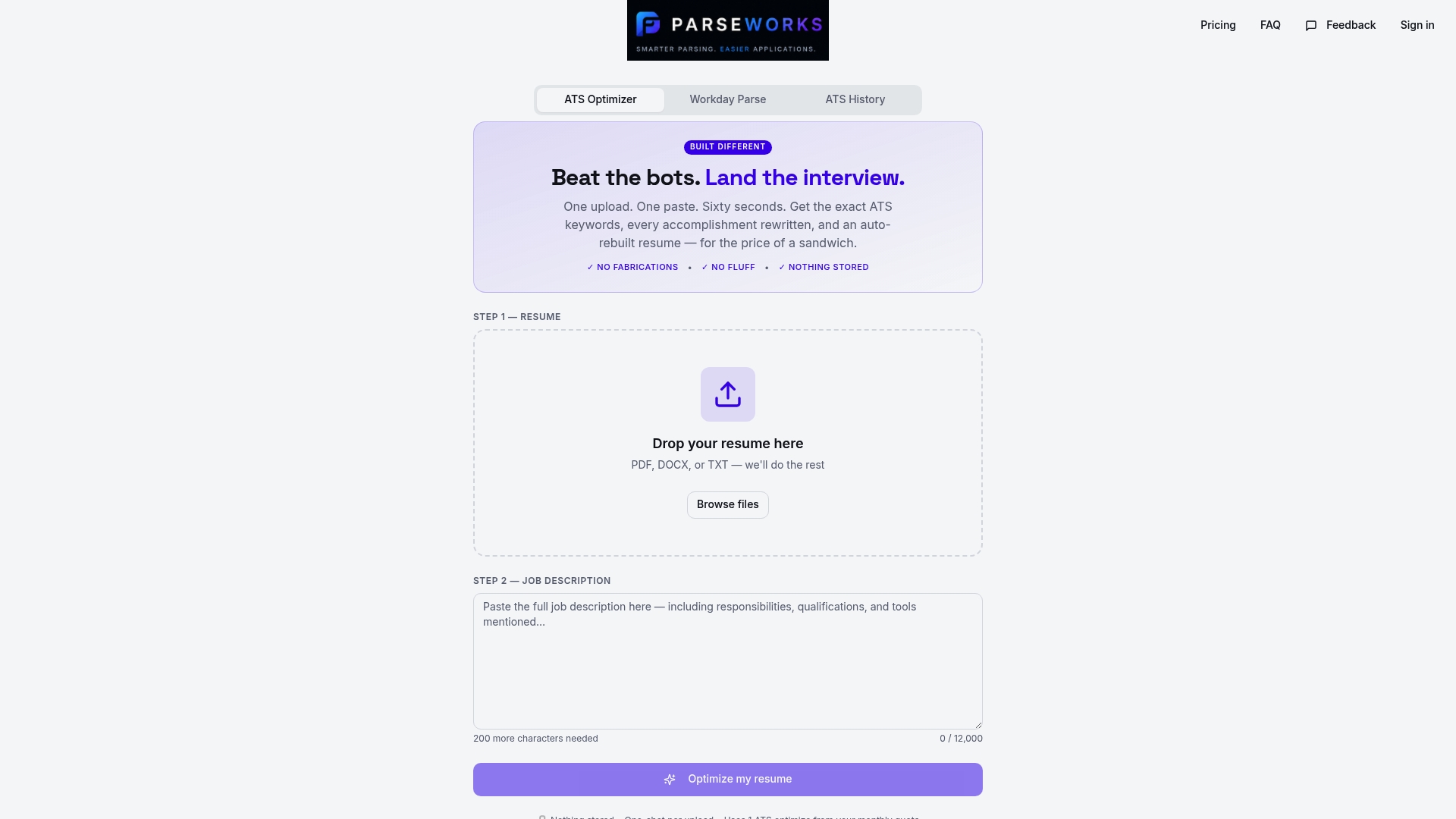
Parseworks built its ATS Resume Checker specifically for this problem. Upload your resume and the tool scans for table usage, multi-column layouts, text boxes, and other formatting elements that trigger parsing failures across Workday, Greenhouse, and Lever. You get a readiness score, a breakdown of specific formatting issues, and suggestions for fixing them before you submit a single application. It takes about two minutes and removes the guesswork from one of the most consequential parts of your job search. If your resume has a table anywhere in it, run it through Parseworks before your next submission.
FAQ
Do tables always break ATS parsing?
Tables break parsing in the majority of ATS systems because parsers read documents linearly and cannot reconstruct two-dimensional cell relationships. Even ATS with more advanced processing typically serialize table content to flat text, which destroys the positional context that makes table data meaningful.
What file format is safest for ATS submissions?
DOCX is generally safer than PDF for ATS submissions because the XML structure gives parsers more to work with, but tables in DOCX files still cause parsing errors. A single-column DOCX without tables, text boxes, or columns is the most reliable format for any ATS portal.
Can I use a table just for my skills section?
No. A skills table is one of the most common resume parsing mistakes because it merges skill names with surrounding content during serialization. List your skills as a simple comma-separated line or a plain bullet list instead.
Why do Workday and Greenhouse still struggle with tables in 2026?
Workday powers hiring for roughly half of Fortune 500 companies and still lacks reliable table parsing because treating tables as structured data objects rather than serialized text requires significant architectural changes that most deployed ATS have not made.
How do I know if my resume is parsing correctly?
Paste your resume content into a plain text editor like Notepad or TextEdit. If the text reads in a logical, sequential order with no merged lines or missing sections, it will parse correctly. If content appears jumbled or out of order, an ATS will read the same scrambled output.