

You spend an hour polishing your resume. You find a job posting that looks like a perfect fit. You copy your resume, paste it into the application form, and hit submit. Then nothing. No interview. No callback. Just silence. This is why copy paste resume fails so many applicants who genuinely deserve a closer look. The problem is not your qualifications. It is what happens to your resume between submission and a human ever reading it. Automated systems process your application first, and they are far less forgiving than you might expect.
Table of Contents
- Key takeaways
- Why copy paste resume fails with ATS systems
- Hidden dangers of generic copy-paste resumes
- Why resumes should be treated as structured data
- Practical strategies to stop copy-paste resume failures
- My take on the real problem nobody addresses
- Check your resume before it costs you the job
- FAQ
Key takeaways
| Point | Details |
|---|---|
| ATS reads raw text, not visuals | Multi-column layouts and text boxes cause parsing failures that eliminate you before a recruiter sees your name. |
| Keywords must match exactly | Using "Project Leadership" when a job posting says "Project Management" can score zero points in ATS screening. |
| Generic resumes get filtered out | 90% of job seekers send the same resume everywhere, leading to predictably low ATS pass rates. |
| Structured data beats raw text | Treating your resume as validated, schema-based data reduces parsing errors and improves compatibility dramatically. |
| File names and formats matter | A file named "Resume (final v2).docx" can trigger upload errors before a system reads a single word. |
Why copy paste resume fails with ATS systems
Applicant Tracking Systems do not read your resume the way a hiring manager does. They do not see a clean, well-formatted document with bold headers and neat bullet points. They extract raw text from your file and run it through a parsing engine that tries to categorize information into structured fields like job title, employer, dates, and skills.
When you copy and paste a resume, especially from a PDF, a Word document with heavy formatting, or a resume builder export, the underlying structure often breaks during that transfer. Multi-column layouts cause ATS failures by merging unrelated content into unreadable strings. A skill listed in a right-hand sidebar might get concatenated with a job title from the left column, producing gibberish that scores zero keyword matches.
Here is what typically breaks during copy-paste resume submissions:
- Text boxes and graphics get skipped entirely by most parsing engines, meaning any content inside them disappears
- Headers and footers in Word documents often cause contact information to be missed or duplicated incorrectly
- Multi-column formats scramble the reading order because ATS reads left to right, top to bottom, without visual context
- Tables used for layout confuse field-level extraction, causing job titles and employers to appear in the wrong categories
- Special characters and emoji used as bullet points or decorative elements get filtered out or replaced with question marks
Pro Tip: Before submitting any application, paste your resume into a plain text editor like Notepad. If the result looks scrambled or loses its logical order, an ATS will have the same problem.
The real danger is that these failures are silent. The system does not email you to say your formatting was unreadable. Your application simply scores low and disappears. Understanding this is the starting point for fixing it.
Hidden dangers of generic copy-paste resumes
Beyond structural failures, there is a subtler problem that trips up even candidates with clean formatting. A generic resume carries the wrong keywords for every job it is submitted to, and ATS systems are ruthless about this.

Modern ATS platforms perform keyword scoring by comparing your resume text against the language in the job description. Using "Project Leadership" instead of the exact phrase "Project Management" can produce a zero score for that skill category, even though the terms are nearly synonymous. This is not a flaw in the system. It is the system working exactly as designed. Employers configure their ATS to filter for the specific language they use internally.
Copy-paste resume pitfalls in the keyword category include more than just word choice:
- Inconsistent section headings like "Career History" instead of "Work Experience" or "Core Competencies" instead of "Skills" confuse ATS categorization engines
- Burying keywords in paragraph prose instead of listing them in a skills section reduces their weighted score in most systems
- Using acronyms without spelling them out means a resume with "PMP" might miss a search for "Project Management Professional" and vice versa
- Copying skills from one industry into an application for another causes a mismatch even when your actual experience is relevant
Pro Tip: Copy the job description into a word frequency tool and identify the three to five terms that appear most often. Those exact phrases should appear naturally in your resume at least once each.
Resume parsing fails silently in another way too: file format issues. Fonts like symbols or emojis get filtered out. File names with spaces or special characters, think "John Smith Resume (final).docx," can trigger upload errors before a single word is ever parsed. These are the dangers of copy paste resumes that nobody talks about in standard job search advice.
Why resumes should be treated as structured data
Here is where most job seekers and most resume advice falls short. They treat a resume as a document. Modern hiring systems treat it as data. That distinction explains a lot about why generic resumes fail so consistently.
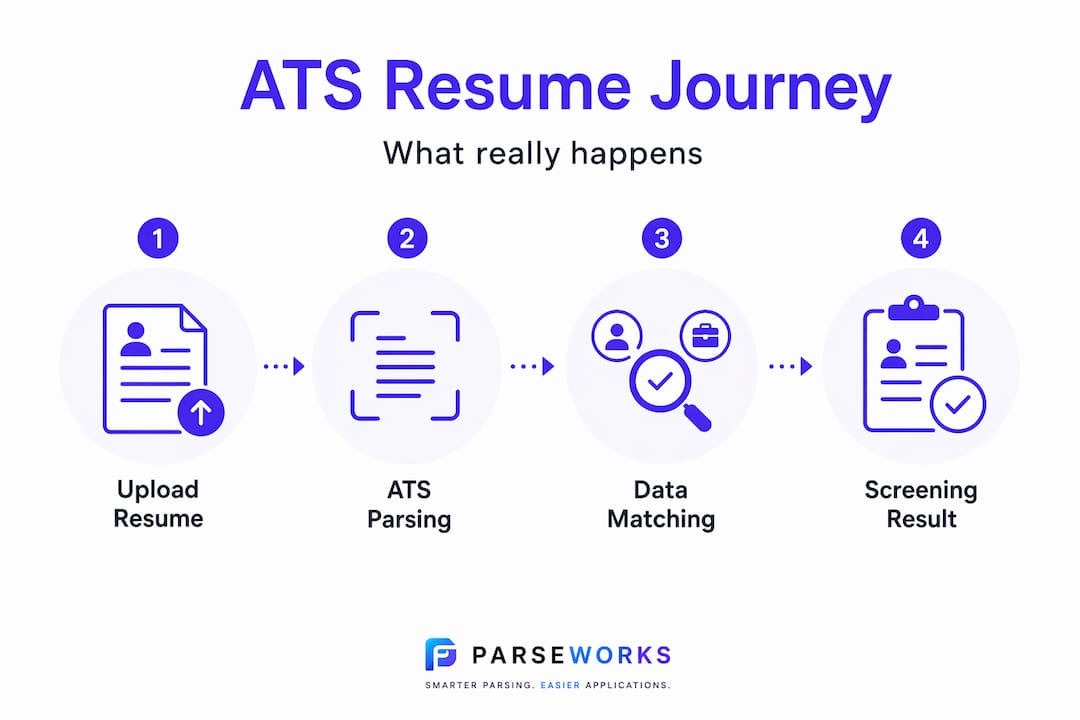
When resume software processes your submission, it is trying to populate a structured database with fields like "work_experience[0].job_title, skills[], and education[0].degree`. A raw text blob from a copy-paste operation is the worst possible input for that process. Treating resumes as structured data with schema validation enables deterministic field-level parsing and dramatically reduces the compatibility problems that sink copy-pasted submissions.
Here is a direct comparison of what that looks like in practice:
| Approach | How ATS processes it | Common outcome |
|---|---|---|
| Copy-paste from PDF | Extracts raw text, guesses field positions | Missing fields, merged content, low score |
| Unformatted plain text | Reads all text, no structural context | Skills mixed with job history, poor categorization |
| Formatted .docx (single column) | Reads text with heading context | Generally reliable, some section misreads |
| Schema-validated structured data | Field-level mapping with validation | Consistent parsing, high ATS compatibility |
The structured data approach also protects against a different problem: AI-assisted resume rewriting. Single-prompt AI rewriting can hallucinate job titles or drop certifications entirely, corrupting the very data that ATS systems use to evaluate you. The same logic applies to manual copy-paste. When you copy a block of text and paste it into an unfamiliar form field, you lose the structural integrity that makes your experience legible to a machine.
The biggest failures in copy-pasted resumes come from inconsistent data structure and lack of schema validation, not just from formatting choices or imperfect wording. That reframing changes what you should do about it.
Practical strategies to stop copy-paste resume failures
Fixing this does not require starting from scratch every time you apply. It requires a smarter system. Here is a practical sequence that addresses the core copy paste resume pitfalls at each stage.
- Switch to a single-column layout. This is the single highest-impact format change you can make. Single-column resumes parse reliably across virtually every ATS platform. Review ATS-blacklisted resume formats before you finalize your template.
- Use standard section headings. Stick with "Work Experience," "Education," and "Skills." Avoid creative labels like "My Story" or "What I Bring." Consistency with conventional headings helps ATS categorize your content correctly.
- Match keywords from the job posting exactly. Read the posting carefully and mirror its specific language. If the employer says "cross-functional collaboration," use that phrase. If they say "data visualization," do not substitute "data presentation."
- Choose the right file format. ATS systems prefer .docx or properly saved PDFs. Avoid .pages, .odt, and image-based PDFs where text is embedded in a scan.
- Name your file correctly. Use FirstnameLastname-Resume.docx, keep it under 30 characters, and avoid spaces or special characters in the file name.
- Run a paste test before submitting. Copy your entire resume and paste it into a plain text document. Read through it top to bottom. If your work history appears in the wrong order or skills land in random places, your formatting needs work.
- Use an ATS checker tool to validate your resume. Tools like Parseworks' ATS resume checker analyze your resume for keyword gaps, structural issues, and format compatibility before you hit submit.
Pro Tip: Tailor at minimum your skills section and your opening summary for each job application. You do not need to rewrite everything. Changing those two sections to reflect the specific role can meaningfully shift your ATS score.
The customized resume importance cannot be overstated here. 90% of candidates send the same resume to every opening. That means candidates who take 15 extra minutes to tailor and test are already ahead of the overwhelming majority of applicants in the ATS round.
My take on the real problem nobody addresses
I have watched too many talented candidates lose opportunities to problems they had no idea existed. The frustration is real. You do the work, you apply, and silence follows. But the conventional resume advice out there almost never talks about parsing, schema validation, or the difference between a document and a data record.
In my experience, the gap between what job seekers believe about resumes and how ATS systems actually process them is enormous. Most people think formatting is about aesthetics. It is actually about data integrity. Most people think keywords are about sounding relevant. They are about exact-match scoring logic. And most people think a resume is something you write once and reuse. Modern hiring systems treat it as a structured input to an automated process, and copy-paste is about the worst way to feed data into any automated process.
What I have found actually works is a mindset shift: stop thinking about your resume as a document and start thinking about it as a data profile you curate and adapt for each opportunity. The ATS-friendly resume format guide at Parseworks captures exactly this thinking. The candidates who internalize this shift apply smarter, not harder.
— Sam
Check your resume before it costs you the job
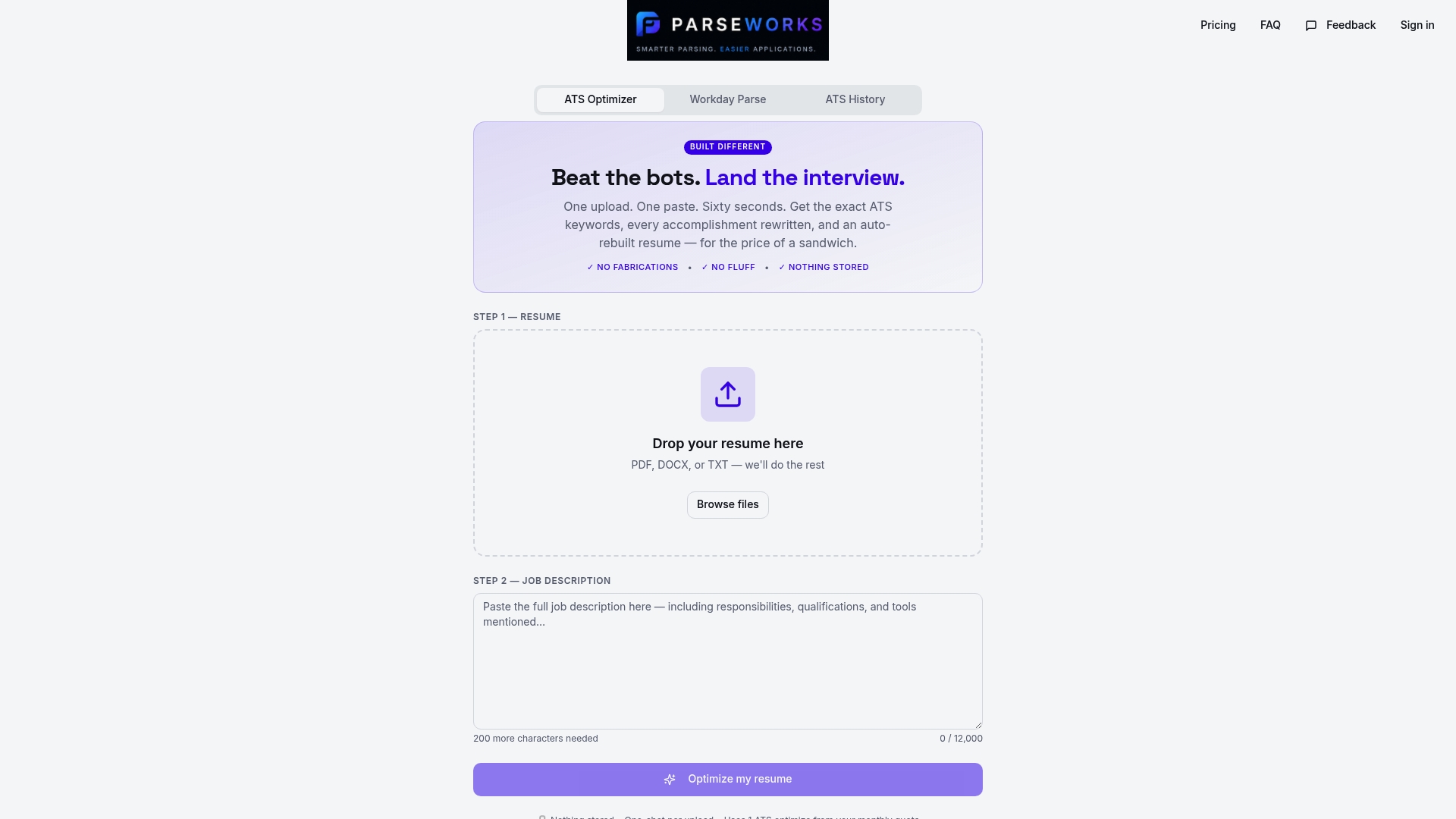
Every application you send through a broken copy-paste process is an opportunity you may never get back. Parseworks built its free ATS resume checker specifically to catch the issues covered in this article before they sink your application. Paste your resume in and get an instant score that covers keyword matching, formatting compatibility, section structure, and file readiness. The report tells you exactly what to fix, not just that something is wrong. If you have been applying consistently without callbacks, there is a real chance the problem is technical, not personal. Parseworks removes that uncertainty so you can apply with confidence.
FAQ
Why does my resume get rejected before a human sees it?
Most rejections happen at the ATS screening stage, where automated systems score your resume on keyword matches and parsing quality. If your formatting breaks during parsing or your keywords do not match the job description exactly, your application scores too low to surface to a recruiter.
What file format should I use to avoid copy-paste errors?
Use .docx or a properly saved, text-based PDF. These formats parse most reliably across major ATS platforms. Avoid image-based PDFs, .pages files, or formats with embedded graphics, as they cause silent parsing failures.
How many keywords should I tailor per application?
Focus on the three to five highest-frequency terms from the job description and confirm they appear in your resume using the exact phrasing from the posting. Covering the top terms with precision matters more than scattering many loosely related keywords throughout.
Does ATS software understand synonyms?
Some modern systems use semantic matching, but exact phrase matches still outperform synonyms significantly. Do not rely on the system recognizing that "team leadership" and "people management" mean the same thing. Use the employer's exact language when possible.
Is copy-pasting a resume into an online form ever safe?
It can work if your source document is a clean, single-column, plain-text-friendly format. Always run a paste test into a plain text editor first to confirm the content and order survive the transfer before submitting to any application system.