

The most effective types of resume file formats are those that pass through applicant tracking systems (ATS) without losing a single word of your content. Your file format is not a minor detail. It determines whether a recruiter ever sees your resume or whether it disappears into a parsing error. In 2026, with ATS platforms like Workday, Greenhouse, and iCIMS screening the majority of applications before any human review, choosing the wrong file type can eliminate you before the process even starts. This guide covers every major resume file format, how each performs with ATS, and exactly when to use each one.
What makes a resume file format ATS-friendly
ATS software does not read your resume the way a recruiter does. It extracts text from your file, maps that text to database fields like job title, employer, and skills, and scores your resume against the job description. The file format you choose determines how cleanly that extraction happens.
DOCX stores text in XML, which means ATS can read your content directly without any conversion step. That direct mapping is why DOCX consistently outperforms other formats in parsing reliability. PDFs work differently. The ATS must interpret a visual layout rather than read structured data, which introduces more room for error.

The most common ATS parsing failures come from resumes that embed text inside images, use complex multi-column tables, or are exported from design tools like Canva or Adobe Illustrator as flattened files. A flattened PDF lacks searchable text entirely, making it invisible to any ATS. Complex formatting elements like tables also break resume parsing in ways that cost candidates interviews.
Pro Tip: Before submitting any PDF, open it and try to highlight and copy text. If you cannot select the words, neither can the ATS. That file will fail parsing completely.
1. DOCX (Microsoft Word)
DOCX is the safest overall resume file format for ATS compatibility. Its native XML structure allows ATS platforms to read content directly, without interpreting a visual layout. That technical advantage makes it the default recommendation for most job applications.
The practical benefits extend beyond parsing. Recruiters can open and edit DOCX files without any special software, which matters when they want to add notes or reformat your resume for client submissions. LibreOffice Writer also exports ATS-compatible DOCX files, so you do not need a Microsoft 365 subscription to produce a reliable Word document resume.
The one real drawback is formatting inconsistency. A resume built in Word 2019 may render differently in Word 2016 or on a Mac. Fonts shift, spacing breaks, and bullet points sometimes convert to symbols. Keep your formatting simple and test your file across versions before submitting.
2. Text-based PDF
Text-based PDFs are the second-best option for most job applications, and in many cases they are the preferred choice for preserving your visual layout. The critical distinction is how the PDF was created. A PDF exported from Word or Google Docs retains a searchable text layer that ATS can parse reliably. A PDF exported from Canva, Photoshop, or any design tool that flattens layers does not.
Google Docs PDF export is a particularly clean workflow. It produces single-column documents with standard fonts that most ATS handle without issues. The layout you see is the layout the recruiter receives, which removes the formatting inconsistency problem that affects DOCX files across different software versions.
PDF is the right choice when a job posting explicitly requests it, when you are submitting directly to a recruiter by email, or when visual presentation matters for your role. For most online application portals, DOCX has a marginal parsing advantage because ATS reads XML content directly rather than interpreting PDF layout.
3. Plain text (.txt)
Plain text resumes guarantee ATS parsing because there is nothing to misinterpret. Every character is readable by every system, including legacy ATS platforms that struggle with modern file types. Plain text is readable by all ATS but sacrifices all formatting, including bold text, bullet points, and visual hierarchy.
The practical use case for plain text is narrower than most guides suggest. Use it when an application portal asks you to paste your resume into a text field, when you are applying to government positions with strict format requirements, or when you know the employer is using an older ATS that has documented issues with PDF and DOCX. For any other scenario, DOCX or a text-based PDF will serve you better.
4. Rich Text Format (.rtf)
RTF is a legacy format that sits between plain text and DOCX in terms of formatting capability. It supports basic formatting like bold, italics, and font size, but it does not support advanced layout features. Most modern ATS platforms accept RTF, but it offers no meaningful advantage over DOCX and lacks the layout fidelity of a well-made PDF.
RTF made sense in the early 2000s when cross-platform compatibility was a genuine concern. Today, DOCX achieves the same cross-platform goal with better structure and wider ATS support. RTF is worth knowing about for situations where an employer explicitly requests it, but it should not be your default choice.
5. HTML resumes
HTML resumes work well as online portfolio pages or personal websites, but they are not appropriate for standard job application portals. An HTML file submitted through an ATS upload field will often fail to parse correctly because the system expects a document format, not a web page.
Where HTML resumes genuinely add value is in direct outreach. If you are contacting a hiring manager at a tech company and linking to your personal site, a well-structured HTML resume signals technical competence and gives you full control over presentation. For AI-driven candidate screening processes, however, a structured document format remains more reliable than HTML for automated parsing.
6. LaTeX compiled PDFs
LaTeX produces some of the most visually precise documents in existence, which is why it is the standard in academic publishing and research. For resumes in academia, data science, and engineering, a LaTeX-compiled PDF signals technical credibility and produces a clean, professional layout.
The parsing risk is real. LaTeX PDFs are still PDFs, so the same text-layer rules apply. A properly compiled LaTeX PDF with selectable text will parse adequately in most modern ATS. The bigger issue is that LaTeX requires specialized knowledge to edit, which creates friction if a recruiter or staffing agency wants to reformat your resume. Use LaTeX for academic applications, research positions, and senior technical roles where the audience will recognize and respect the format.
7. PDF/A for government and archival applications
PDF/A is a specific PDF standard designed for long-term archiving. It embeds all fonts and color profiles within the file, ensuring the document renders identically regardless of software or operating system. ATS parsing software supports PDF/A for government applications where document preservation is a compliance requirement.
Most job seekers will never need PDF/A. If you are applying to federal government positions, certain regulated industries, or roles that specify archival document standards, PDF/A is the correct choice. Export it from Word or Adobe Acrobat using the PDF/A-1b standard for maximum compatibility.
Resume file format comparison
Choosing between formats is faster with a direct side-by-side view. The table below covers the metrics that matter most for job seekers: ATS parsing reliability, formatting fidelity, editing ease, and the situations where each format performs best.
| Format | ATS parsing reliability | Formatting fidelity | Editing ease | Best use case |
|---|---|---|---|---|
| DOCX | Highest (XML direct read) | Moderate (varies by Word version) | Easy | Most online application portals |
| Text-based PDF | High (text layer intact) | Excellent | Moderate | Email submissions, design-sensitive roles |
| Plain text (.txt) | 100% (no parsing risk) | None | Easy | Paste-in fields, legacy ATS |
| RTF | Moderate | Basic | Easy | Legacy employer requests |
| HTML | Low (portal incompatible) | High (web only) | Moderate | Personal portfolio sites |
| LaTeX PDF | Moderate | Excellent | Difficult | Academic and senior technical roles |
| PDF/A | High | Excellent | Difficult | Government and archival submissions |
The reverse-chronological resume format achieves approximately 95% ATS parsing accuracy, which reflects how much both structure and file type contribute to parsing success. File format alone does not guarantee a clean parse. The content structure inside that file matters equally.
How to choose the right format for your situation
The simplest rule: follow the job posting instructions. If the posting says "attach your resume as a PDF," send a text-based PDF. If it says "Word document only," send DOCX. Ignoring explicit instructions signals poor attention to detail before a recruiter reads a single line of your experience.
When the posting gives no format guidance, default to DOCX for online portals and text-based PDF for email submissions. This covers the vast majority of applications. For Workday specifically, check the Workday resume formatting guide because that platform has specific parsing behaviors that affect both format and layout choices.
For government roles, use PDF/A. For academic positions, LaTeX or a clean text-based PDF both work. For creative roles in design or marketing, a visually polished PDF submitted alongside a plain DOCX version gives you the best of both worlds. The ATS-friendly resume format guide covers structural decisions that complement your file format choice.
Pro Tip: Run your resume through an ATS checker before submitting to any major application portal. Parsing errors that are invisible to you will be obvious to the system, and fixing them takes minutes once you know where they are.
Keep at least three versions of your resume ready: a DOCX for online portals, a text-based PDF for email and direct submissions, and a plain text version for paste-in fields. This preparation eliminates the last-minute scramble that leads to format mistakes.
Key takeaways
DOCX and text-based PDF are the two formats that cover nearly every job application scenario effectively, with DOCX holding a marginal ATS parsing advantage due to its XML structure.
| Point | Details |
|---|---|
| DOCX is the top ATS format | XML structure allows direct ATS reading, making it the most reliable choice for online portals. |
| Not all PDFs parse equally | Only text-based PDFs with selectable text layers work with ATS; flattened design exports fail entirely. |
| Plain text is the fallback | Use .txt for paste-in application fields or legacy ATS systems where other formats cause errors. |
| Format choice depends on context | Government roles need PDF/A, academic roles suit LaTeX, and creative roles benefit from a polished PDF. |
| Keep multiple versions ready | Maintain DOCX, text-based PDF, and plain text versions to handle any application scenario without delay. |
The format mistake I see most often
After reviewing hundreds of resumes through ParseWorks, the single most common file format mistake is not using the wrong format. It is using the right format incorrectly. Specifically, job seekers export their resume from Canva or a design template as a PDF, assume it is ATS-ready because it is a PDF, and submit it confidently. The ATS reads nothing. The application scores zero.
The second most common mistake is keeping only one version of a resume. I have seen candidates lose time scrambling to convert a beautifully formatted PDF into a plain text version at 11 PM before a midnight deadline. Keeping three versions ready takes 20 minutes once and saves that panic every time.
My honest recommendation in 2026: build your resume in Microsoft Word or Google Docs, not in a design tool. Design tools are built for visual output, not for document structure. The formatting that looks impressive in Canva is exactly the formatting that breaks ATS parsing in Workday, Greenhouse, and Taleo. A clean, well-structured DOCX will outperform a visually elaborate flattened PDF every single time in a competitive applicant pool.
One more thing: the automated resume parsing landscape is moving fast. ATS platforms are improving their PDF parsing capabilities, but DOCX still holds the structural advantage. Check your format assumptions at least once a year as the technology evolves.
— Sam
Check your resume format before it costs you an interview
If you are unsure whether your current resume file will parse correctly, do not guess. ParseWorks built a free ATS resume checker specifically for this problem.
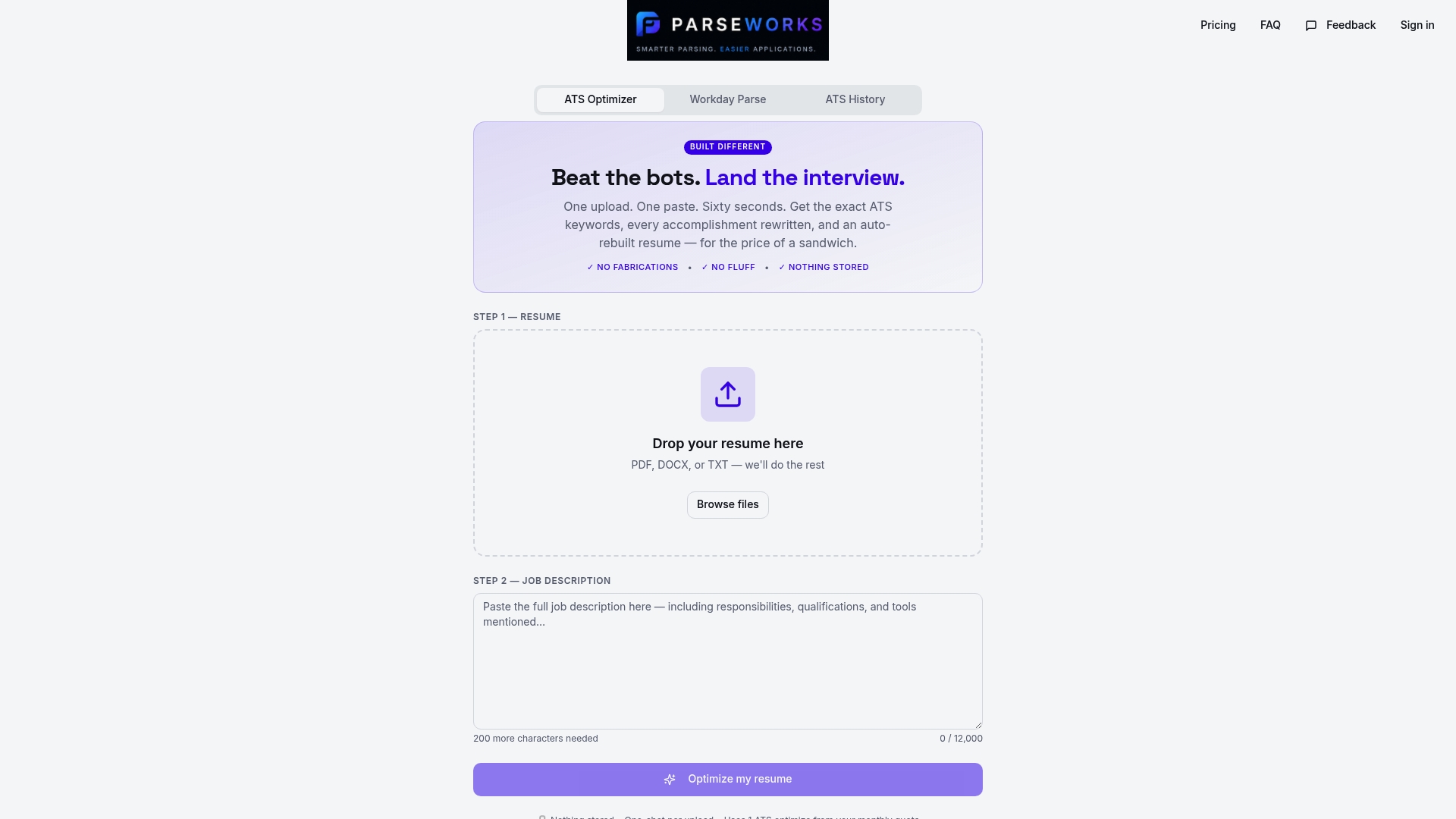
Upload your resume to the ParseWorks ATS checker and get an instant score showing how well your file parses, where formatting errors exist, and what to fix before you submit. The tool flags flattened PDFs, table-heavy layouts, and missing text layers that would otherwise silently kill your application. It takes under two minutes and removes the uncertainty from one of the most consequential decisions in your job search.
FAQ
What is the best resume file format for ATS?
DOCX is the best resume file format for ATS compatibility because its XML structure allows applicant tracking systems to read content directly without conversion. Text-based PDF is a strong second choice when the PDF is exported from Word or Google Docs with a searchable text layer intact.
Can a PDF resume fail ATS parsing?
Yes. A PDF created by flattening layers in design tools like Canva or Adobe Illustrator lacks searchable text and is completely invisible to ATS. Only text-based PDFs with selectable content will parse correctly.
When should I use a plain text resume?
Use plain text when an application portal asks you to paste your resume into a text field, or when you know the employer uses a legacy ATS that struggles with DOCX and PDF. Plain text guarantees parsing but removes all visual formatting.
Is RTF still a valid resume format?
RTF is accepted by most ATS platforms but offers no advantage over DOCX in 2026. Use it only if an employer explicitly requests it. For all other situations, DOCX provides better structure and wider compatibility.
How many resume file format versions should I keep?
Keep at least three versions: a DOCX for online application portals, a text-based PDF for email and direct submissions, and a plain text version for paste-in fields. This covers every common application scenario without last-minute conversion errors.