

An ATS resume is a document formatted and written specifically to pass automated screening software before a human recruiter ever sees it. Most large employers use applicant tracking systems (ATS) to filter applications, and a resume that fails the scan never reaches a hiring manager. To create an ATS resume from scratch, you need three things: clean formatting, strategic keyword placement, and achievement-focused bullet points. Tools like Microsoft Word, Google Docs, and Parseworks make the process faster and more reliable. This guide walks you through every step.
What are the essential components of an ats-friendly resume?
The structure of your resume determines whether an ATS can read it at all. ATS parsers rely on standard section labels and simple layouts. Unusual headings and complex design cause parsing errors that bury your qualifications.

Standard section labels that ATS software recognizes
Use these exact headings in your resume:
- Professional Summary (or Summary)
- Work Experience (or Experience)
- Skills
- Education
- Certifications (if applicable)
Creative labels like "My Story" or "Where I've Been" confuse ATS software. The system looks for recognized patterns. If it cannot categorize a section, it skips the content inside it. That means your best qualifications may never get logged.
Formatting rules that protect your data
Multi-column layouts, tables, headers, footers, and graphics cause ATS parsers to drop information entirely. A two-column resume may look polished in a PDF viewer, but the ATS reads it left to right, top to bottom. Skills listed in a right-hand column often get read mid-sentence, creating gibberish in the parsed output.
Stick to a single-column layout with clear white space between sections. Standard fonts like Arial, Calibri, and Times New Roman in 10–12 pt size give you the best results with both ATS software and human reviewers. Stylized fonts may render as symbols or get skipped entirely.
For file format, a .docx file is the safest choice for ATS compatibility. Some systems accept PDF, but others cannot parse it reliably. When the job posting specifies a format, follow it exactly.
Pro Tip: Never place your contact information inside a header or footer. Many ATS systems skip header and footer content entirely, which means your phone number and email may never get captured.
How do you identify and integrate ATS keywords effectively?
Keywords are the terms an ATS uses to match your resume to a job posting. Studying the job posting and weaving accurate role-specific terms into your summary and skills section is the single most effective way to improve your match score.
Here is a practical process for finding and placing keywords:
- Copy the job description into a text document. Highlight every skill, tool, job title, and qualification mentioned more than once. These are the terms the employer prioritizes.
- Match your language to theirs. If the posting says "project management," use that exact phrase. Do not substitute "managing projects" and expect the ATS to connect them.
- Include both acronyms and full terms. Write "Search Engine Optimization (SEO)" the first time, then use "SEO" afterward. Some ATS systems search for one form and not the other.
- Distribute keywords across multiple sections. Place them in your Professional Summary, your Skills list, and inside your Work Experience bullets. Concentration in one section looks unnatural and may trigger keyword stuffing filters.
- Use a keyword analysis tool. Parseworks and Jobscan both compare your resume text against a job description and flag missing terms. This removes the guesswork from the process.
The role of keywords in a resume goes beyond matching. Recruiters who review ATS-filtered resumes also scan for the same terms. A resume that reads naturally while hitting the right keywords performs well at both stages.
Pro Tip: Do not copy and paste the entire job description into your resume. ATS systems flag keyword stuffing, and recruiters notice unnatural language immediately. Use keywords where they fit your real experience.
What makes achievement-focused bullet points win with ATS and recruiters?
Bullet points are where most resumes lose ground. The difference between a duty and an achievement is the difference between being screened out and getting a call.
A duty describes what you were responsible for. An achievement describes what you actually produced. Compare these two examples:
"Responsible for managing the sales team and overseeing quarterly targets."
versus
"Led a 6-person sales team to exceed quarterly revenue targets by 20% for three consecutive quarters."
The second version passes the ATS because it contains specific terms like "sales team," "revenue," and "quarterly." It also gives a human recruiter a concrete proof point. Measurable outcomes like improved efficiency or reduced processing time strengthen both ATS scoring and recruiter perception.
Use this formula for every bullet point:
- Action Verb: Start with a strong, specific verb. "Led," "Built," "Reduced," "Increased," "Launched."
- Specific Detail: Name the project, tool, team size, or context.
- Measurable Result: Attach a number, percentage, or time frame wherever possible.
For resume bullet points that win interviews, specificity matters more than volume. Five strong bullets beat ten vague ones every time. Keep language simple and direct. Avoid phrases like "assisted with," "helped to," or "was involved in." These dilute your contribution and give the ATS nothing concrete to score.
What step-by-step process should you follow to build your ATS resume?
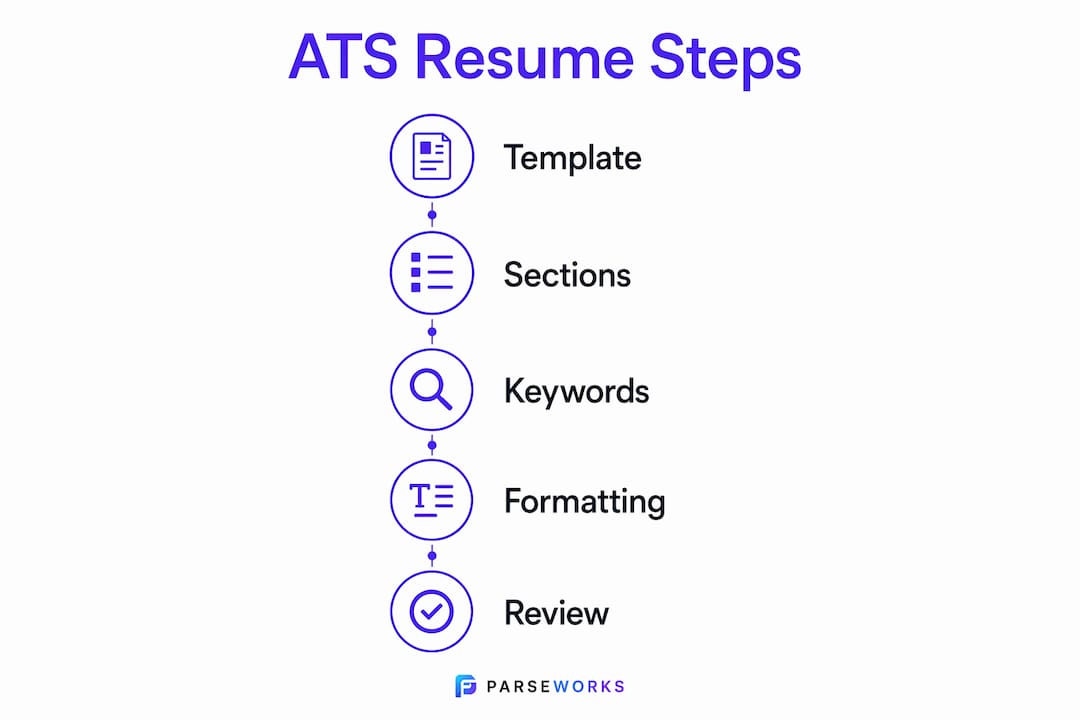
Building an ATS-compliant resume from scratch takes less time than most people expect when you follow a clear sequence. Here is the full process:
- Choose a simple template. Open Microsoft Word or Google Docs and select a single-column resume template. Microsoft offers free ATS resume templates pre-formatted to meet common ATS requirements. Avoid any template with graphics, text boxes, or multiple columns.
- Add your contact information at the top. Include your full name, phone number, professional email address, LinkedIn URL, and city and state. Do not use a header or footer for this block.
- Write your Professional Summary. This is a 3–4 sentence paragraph at the top of your resume. Include your job title, years of experience, two or three core skills, and one strong proof point. Place your most important keywords here.
- Build your Skills section. List 8–12 specific, role-relevant skills as a simple bulleted or comma-separated list. Pull these directly from the job description. Avoid soft skills like "team player" unless the posting specifically calls for them.
- Enter your Work Experience. List jobs in reverse chronological order. For each role, include the company name, your job title, and dates of employment. Write 3–5 achievement-focused bullet points per role using the Action Verb + Detail + Result formula.
- Add Education and Certifications. List your highest degree first. Include the institution name, degree type, and graduation year. Add certifications with their issuing organization and date.
- Save as .docx. Unless the job posting specifies otherwise, save your file as a Word document (.docx).
- Run an ATS check. Use a tool like the Parseworks ATS resume checker to score your resume for parsing accuracy and keyword alignment before you submit.
| Step | Action | Why It Matters |
|---|---|---|
| Template selection | Single-column Word or Docs template | Prevents column-based parsing errors |
| Contact info placement | Body of document, not header/footer | ATS skips header/footer content |
| Keyword placement | Summary, Skills, and Experience sections | Distributes match signals across the document |
| File format | Save as .docx | Most ATS systems parse .docx most reliably |
| ATS check | Run through Parseworks before submitting | Catches parsing errors and missing keywords |
What common mistakes cause ATS rejection before a human reads your resume?
Most ATS failures come from formatting decisions that look fine visually but break the parser's reading order. These are the mistakes that cost qualified candidates interviews:
- Using tables or text boxes for layout. Content inside these elements often gets read out of sequence or dropped entirely. This is one of the most common reasons a well-written resume scores poorly.
- Placing key information in headers or footers. As noted above, many ATS systems skip these zones. Your name and contact details must live in the main body of the document.
- Using creative section headings. A heading like "Where I've Made an Impact" will not be recognized as Work Experience. Stick to standard labels that ATS systems read first.
- Keyword stuffing. Repeating the same term ten times in a row triggers spam filters in modern ATS software. Natural language that includes keywords in context performs better.
- Not tailoring your resume for each application. A generic resume rarely matches the specific language of any single job posting. Customizing your resume for each role is the most direct way to improve your match score.
Pro Tip: Before submitting, read your resume out loud. If a sentence sounds awkward or forced, a keyword is probably out of place. Natural language reads better to both ATS filters and human reviewers.
Key takeaways
An ATS resume built from scratch succeeds when it combines clean single-column formatting, role-specific keywords placed across multiple sections, and bullet points that quantify real results.
| Point | Details |
|---|---|
| Use standard section labels | Headings like Work Experience and Skills are recognized by ATS parsers; creative labels cause data loss. |
| Single-column layout only | Tables, columns, and graphics break ATS reading order and cause information to be dropped. |
| Keywords belong in three places | Distribute role-specific terms across your Summary, Skills, and Work Experience sections. |
| Quantify every bullet point | Use the Action Verb + Detail + Result formula to give ATS and recruiters concrete proof points. |
| Test before you submit | Run your resume through an ATS checker like Parseworks to catch parsing errors and keyword gaps. |
Why simplicity is the hardest part of ATS resume writing
Most job seekers I talk to make the same mistake: they spend hours on design and almost no time on content. A beautiful resume with a two-column layout and a custom font will score lower on ATS than a plain Word document with the right keywords. That is a hard truth, but it is consistent across every ATS system I have seen.
The other thing I have learned is that tailoring actually works. Sending the same resume to 50 jobs feels efficient, but it produces almost no results. Spending 15 minutes customizing your Professional Summary and Skills section for each posting produces a measurably better match score. The math is simple: a tailored resume matches more of the job description's language, and more matches means a higher ranking in the ATS queue.
The balance between ATS optimization and human readability is real, but it is not as difficult as people think. Write naturally, use the exact terms from the job posting, and quantify your results. That approach satisfies both the algorithm and the recruiter. Flashy design does not add value at the ATS stage. Clear organization and proof points do.
— Sam
Check your resume before you submit it
You have built your resume from scratch. Now find out if it will actually pass the scan.
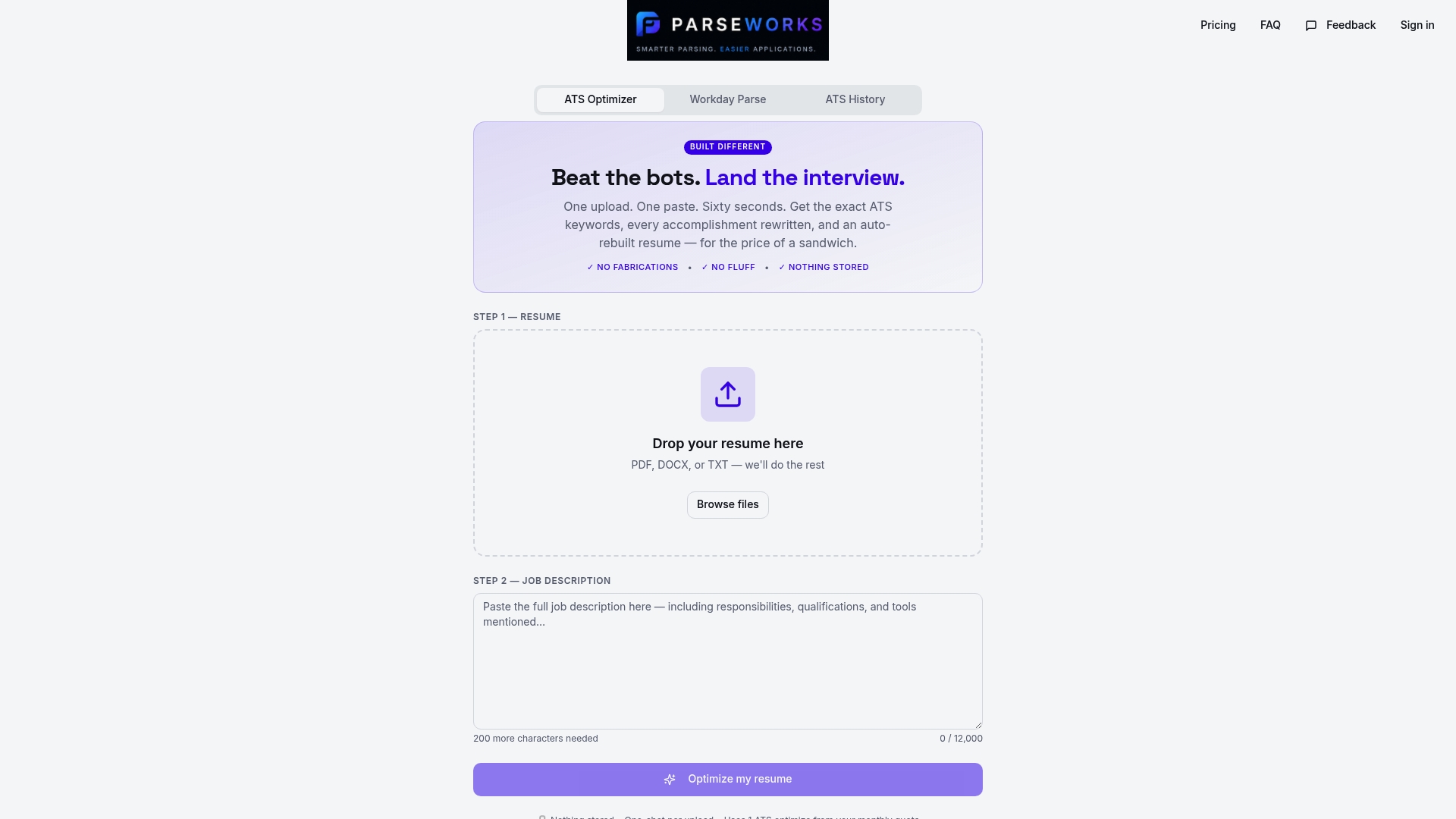
Parseworks' free ATS resume checker scores your resume for parsing accuracy, flags formatting errors, and shows you which keywords are missing from your target job description. You get instant feedback on the exact issues that cause ATS systems to rank resumes lower, without manually guessing what went wrong. If you are applying to roles on platforms like Workday or Greenhouse, running your resume through Parseworks before you submit takes two minutes and removes the uncertainty from the process.
FAQ
What is an ATS resume?
An ATS resume is a document formatted to be accurately read and ranked by applicant tracking software. It uses standard section labels, simple single-column layouts, and role-specific keywords to maximize match scores.
Which file format is best for ATS compatibility?
A .docx file is the most reliably parsed format across ATS platforms. Some systems accept PDF, but checking the job posting's instructions before submitting is the safest approach.
How many keywords should an ATS resume include?
There is no fixed number, but your resume should reflect the language of the specific job description naturally. Distribute keywords across your Summary, Skills, and Work Experience sections rather than concentrating them in one place.
Do fonts and layout really affect ATS scoring?
Yes. Stylized fonts and multi-column layouts can cause ATS parsers to misread or skip content entirely. Arial, Calibri, and Times New Roman in 10–12 pt size are the most reliable choices for both ATS and human readers.
How often should you update your ATS resume?
Update your resume every time you apply to a new role. Tailoring your Professional Summary and Skills section to match each job description is the most direct way to improve your ATS match score.